> ## Documentation Index
> Fetch the complete documentation index at: https://docs.servflow.io/llms.txt
> Use this file to discover all available pages before exploring further.
# Dynamic content
> How prompts and tool settings use the message that started the run: what double curly braces mean, and what they can read for each kind of entry
A prompt is mostly fixed text, with gaps that are filled in each time the agent runs: the question someone asked, the name of the person who wrote, what an earlier step found. The gaps are written in double curly braces, `{{ }}`. ServFlow calls this dynamic content. This page explains how to read and write it. For every function, see the [Dynamic content reference](/references/dynamic-content).
## Reading a template
Text with gaps in it is called a template. This one is the **User prompt** of a Discord agent:
```
Answer this question from {{ .discord.display_name }}:
{{ .discord.content }}
```
Everything outside the braces is sent as written. Each pair of braces is replaced when the agent runs: the first with the name of the person who wrote, the second with their message.
## Where you can use it
In a **System prompt** and a **User prompt**, in a tool's settings, in a context step's settings, and in a guard's condition. A field that accepts dynamic content shows `Supports {{ }} templates` under its label.
## What you can read depends on how the agent was started
| The agent is started by | Read the message with | Example |
| ----------------------------------------- | ------------------------------------------------------ | ------------------------------------------------ |
| A webhook | `body`, `param`, `header` | `{{ body "question" }}` |
| A Discord bot entry | `.discord` | `{{ .discord.content }}` |
| A Telegram bot entry | `.telegram` | `{{ .telegram.text }}` |
| A GitHub entry | `.github`, and `body` for the rest of what GitHub sent | `{{ .github.repo }}`, `{{ body "issue.title" }}` |
| A trigger, handed a task by another agent | `input` | `{{ input "instruction" }}` |
Three things to watch:
* A Discord agent cannot use `body`. It has no web request to read.
* `body` reads a web request only when the request is sent as JSON.
* An agent that runs on a schedule has no message to read, so leave `input` out of its prompts.
The [Available entry handlers](/references/entry-handlers) lists every name under `.discord`, `.telegram`, and `.github`.
## What you can read from any agent
* **What an earlier context step found.** `{{ .customer.name }}` reads `name` from a step called `customer`. See [Context fetching](/concepts/context-fetching).
* **A stored secret.** `{{ secret "weather-api-key" }}`. See [Secrets](/concepts/secrets).
* **Inside a tool, what the agent passed to it.** `{{ tool_param "question" }}`. See [Add a tool to an agent](/guides/add-a-tool).
## Small changes to a value
A function can change a value on its way in. Three common ones:
| To | Write |
| ------------------------------ | ------------------------------- |
| Turn a number into text | `{{ tostring (body "count") }}` |
| Join a list into one line | `{{ join .tags ", " }}` |
| Compare two values, in a guard | `{{ eq (body "plan") "pro" }}` |
The brackets in `(body "count")` mean "work this out first".
## If something is missing
A gap whose value is missing is left empty, and the prompt still goes out. Write prompts that read sensibly when that happens.
A misspelt function name is different. In a guard, ServFlow refuses it when you save. In a prompt, the agent fails when it runs.
## Dynamic content in the dashboard
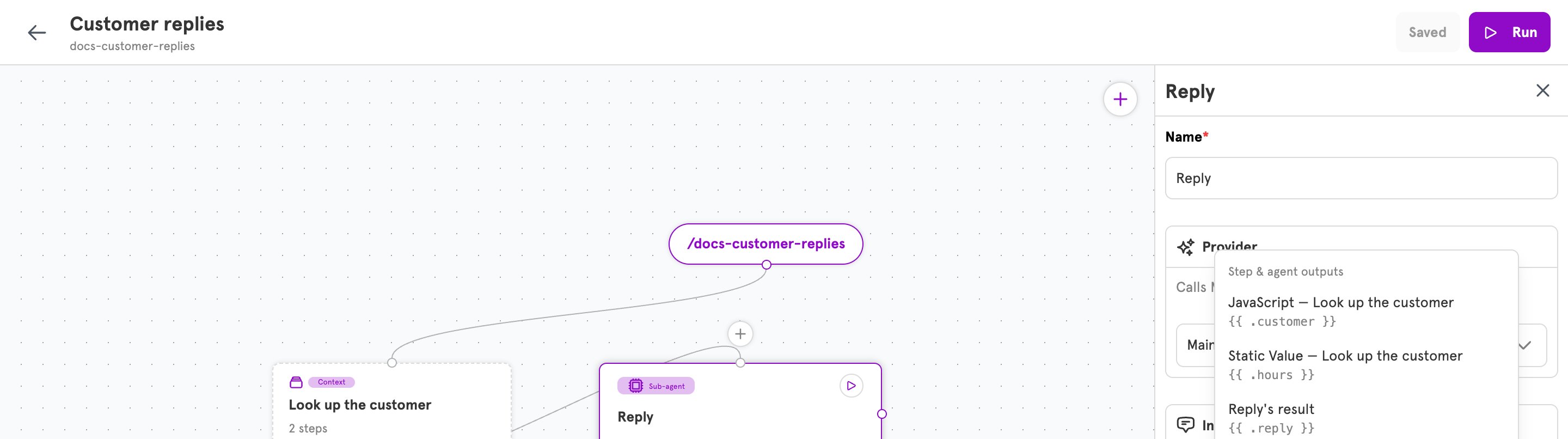
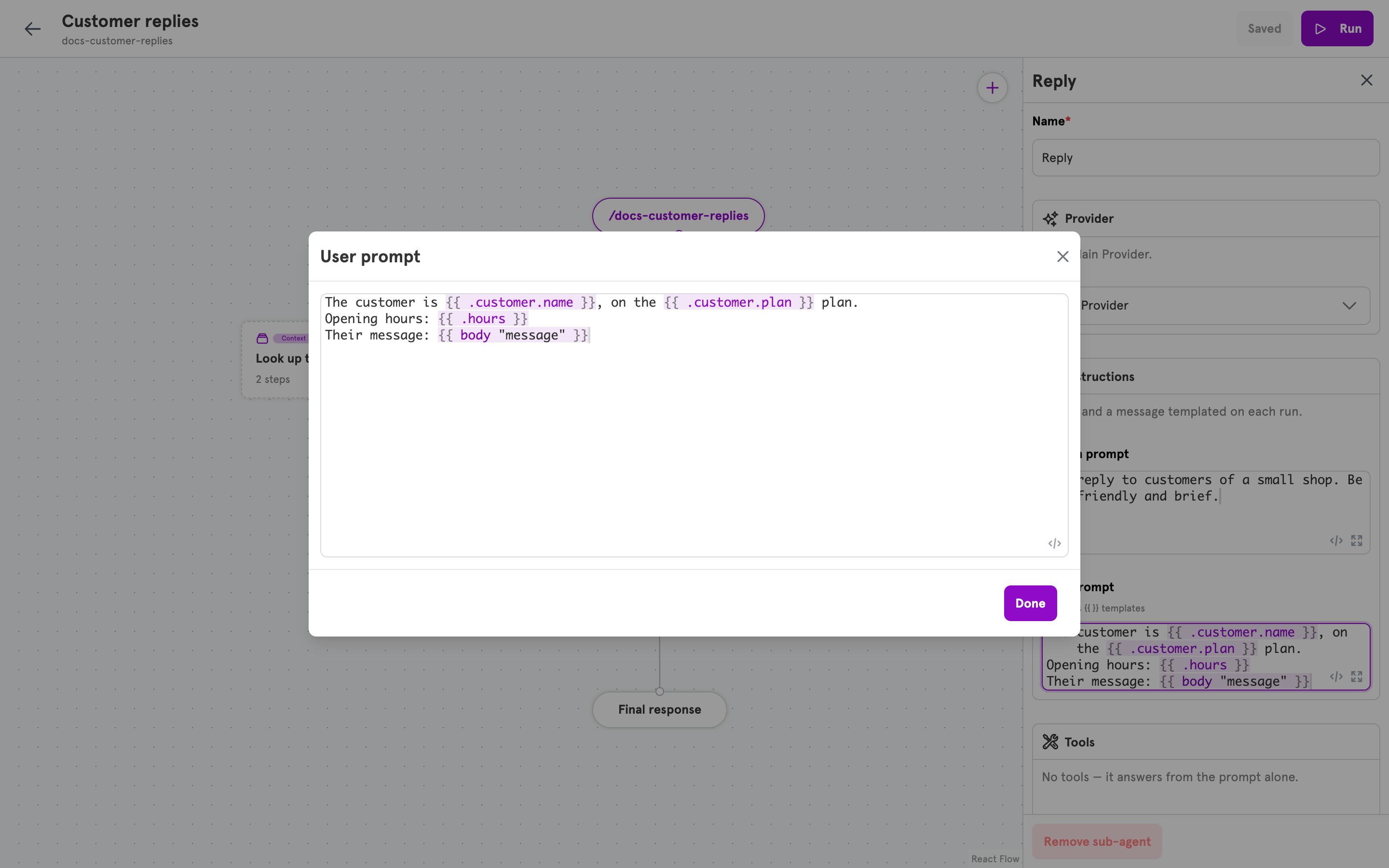
Every field that accepts dynamic content has two small buttons in its corner. **Insert a variable** opens a menu of what the field can read, such as the results of context steps and your secrets, and writes the braces for you. **Expand editor** opens the field in a larger window. Typing inside braces suggests names as you go.
 ## Related
Every function, with what it takes and returns.
Every name a Discord, Telegram, or GitHub entry provides.
Conditions that decide whether a tool may run.
Steps whose results a prompt can read.
## Related
Every function, with what it takes and returns.
Every name a Discord, Telegram, or GitHub entry provides.
Conditions that decide whether a tool may run.
Steps whose results a prompt can read.