> ## Documentation Index
> Fetch the complete documentation index at: https://docs.servflow.io/llms.txt
> Use this file to discover all available pages before exploring further.
# Providers
> What a provider is, why sub-agents share one, and where an agent's model is chosen
A provider is your account with a company that runs AI models, such as OpenAI or Anthropic, together with the model you want to use. Every sub-agent thinks with a provider, so an agent cannot run without one. This page explains how providers work. To add one, see [Manage LLM providers](/guides/manage-llm-providers).
 ## Your account, not ours
ServFlow does not come with a model. You bring a key from the model company, and that company bills you for what your agents use. That includes test runs from the editor.
ServFlow can talk to five kinds of provider: Claude, OpenAI, OpenRouter, LiteLLM, and Qwen. OpenRouter and LiteLLM are services that give access to many companies' models through one account.
## One provider, many sub-agents
You set a provider up once. Each sub-agent then chooses one. Most instances need only one or two providers.
## The model belongs to the provider
A sub-agent's panel has a **Provider** setting and no model setting, because the model is part of the provider.
To run a quick, low-cost model for a simple stage and a stronger one for a hard stage, add two providers with the same key and different models. Then choose between them in each sub-agent:
| Sub-agent | Job | Provider |
| ---------------- | ------------------------------------ | -------------- |
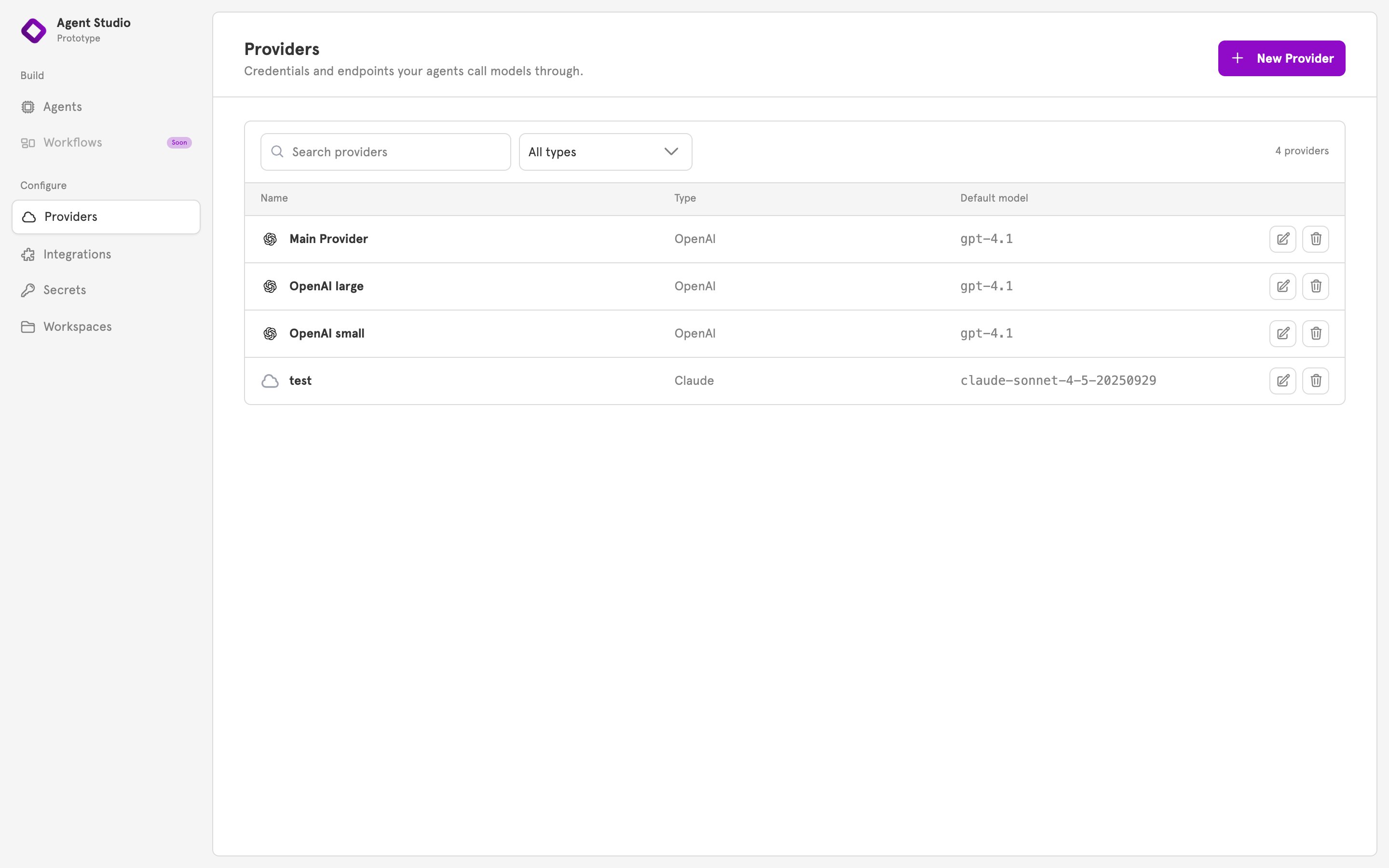
| Sort the request | Decide what kind of question this is | `OpenAI small` |
| Write the answer | Compose the reply | `OpenAI large` |
## Changes apply from the next run
When you change a provider's key or model, every agent that uses it follows on its next run. You do not reopen or save the agents.
## If a provider is deleted
ServFlow lets you delete a provider that agents still use. Those agents then fail when they next run. Point them at another provider first.
## Keeping the key safe
The key is kept with the provider. It is hidden as you type it and is left out of lists. It is not a stored [secret](/concepts/secrets), so you will not find it on the **Secrets** page.
If you run your own instance, you can have ServFlow encrypt stored keys. See the [Configuration reference](/references/configuration).
## Providers in the dashboard
**Providers**, in the sidebar under **Configure**, lists your providers, and **New Provider** adds one. To choose a provider for a sub-agent, open the sub-agent and pick it under **Provider**.
## Related
Add, change, and delete a provider.
Every provider type and its fields.
Sub-agents, and what each one needs to run.
Where tokens for integrations are kept.
## Your account, not ours
ServFlow does not come with a model. You bring a key from the model company, and that company bills you for what your agents use. That includes test runs from the editor.
ServFlow can talk to five kinds of provider: Claude, OpenAI, OpenRouter, LiteLLM, and Qwen. OpenRouter and LiteLLM are services that give access to many companies' models through one account.
## One provider, many sub-agents
You set a provider up once. Each sub-agent then chooses one. Most instances need only one or two providers.
## The model belongs to the provider
A sub-agent's panel has a **Provider** setting and no model setting, because the model is part of the provider.
To run a quick, low-cost model for a simple stage and a stronger one for a hard stage, add two providers with the same key and different models. Then choose between them in each sub-agent:
| Sub-agent | Job | Provider |
| ---------------- | ------------------------------------ | -------------- |
| Sort the request | Decide what kind of question this is | `OpenAI small` |
| Write the answer | Compose the reply | `OpenAI large` |
## Changes apply from the next run
When you change a provider's key or model, every agent that uses it follows on its next run. You do not reopen or save the agents.
## If a provider is deleted
ServFlow lets you delete a provider that agents still use. Those agents then fail when they next run. Point them at another provider first.
## Keeping the key safe
The key is kept with the provider. It is hidden as you type it and is left out of lists. It is not a stored [secret](/concepts/secrets), so you will not find it on the **Secrets** page.
If you run your own instance, you can have ServFlow encrypt stored keys. See the [Configuration reference](/references/configuration).
## Providers in the dashboard
**Providers**, in the sidebar under **Configure**, lists your providers, and **New Provider** adds one. To choose a provider for a sub-agent, open the sub-agent and pick it under **Provider**.
## Related
Add, change, and delete a provider.
Every provider type and its fields.
Sub-agents, and what each one needs to run.
Where tokens for integrations are kept.