> ## Documentation Index
> Fetch the complete documentation index at: https://docs.servflow.io/llms.txt
> Use this file to discover all available pages before exploring further.
# Tools
> What a tool is, the four kinds a sub-agent can have, what you decide and what the agent decides, and why an agent sometimes does not use a tool
A tool is something a sub-agent can decide to do while it works: look something up, post a message, ask another sub-agent. On its own a sub-agent can only read and write text. Tools are how it reaches anything else. Read this page when you are deciding what an agent should be able to do.
## The agent chooses when to use a tool
You give a tool a name and a description of when to use it. The agent reads both. While it works out its answer, it decides for itself whether the tool would help, and uses it if so. It can use a tool several times in one run, or not at all.
That is the difference between a tool and everything else you set up. An entry always starts the agent. A prompt is always read. A tool is an option the agent has.
 ## The four kinds of tool
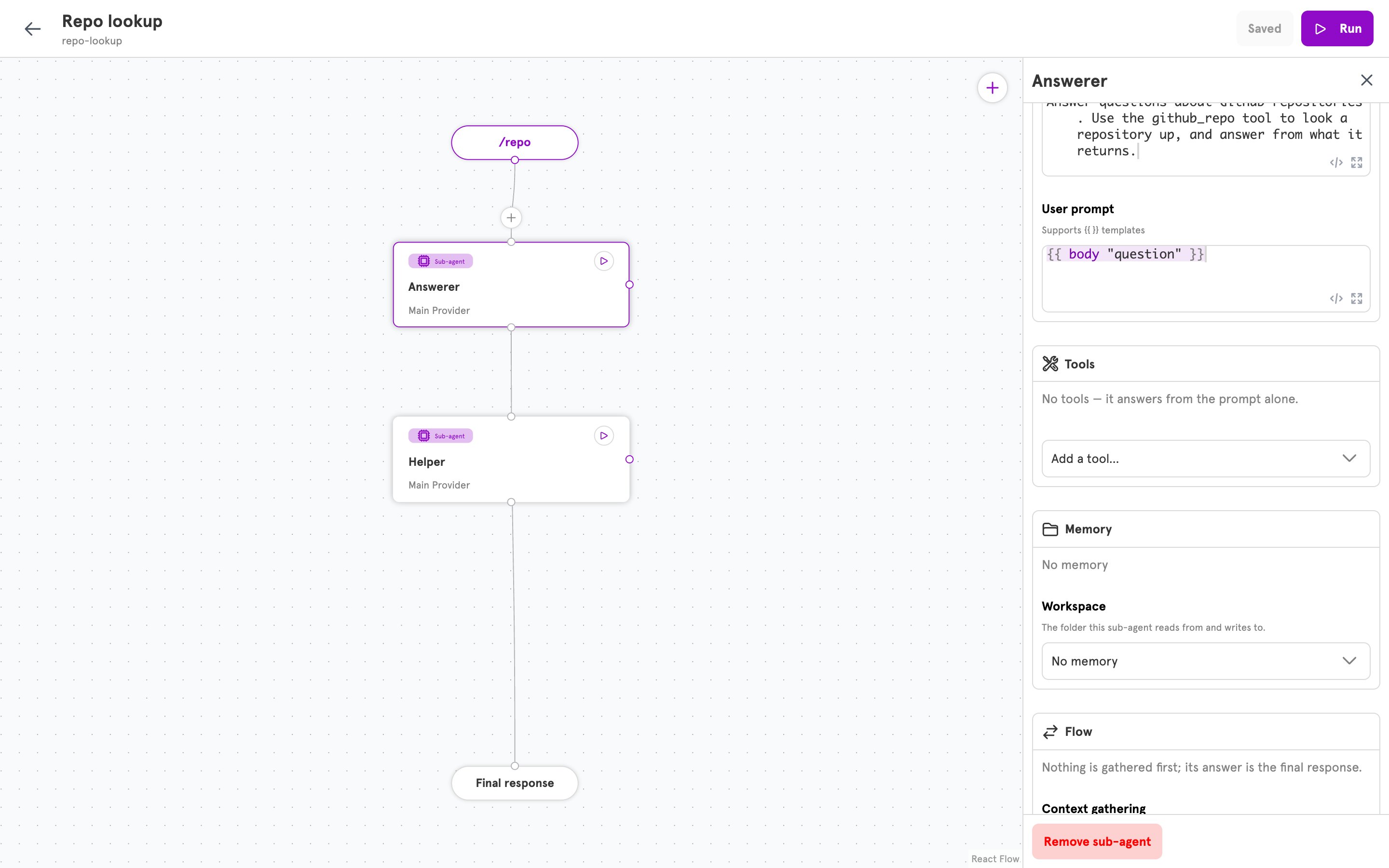
In a sub-agent's panel, **Add a tool…** offers four kinds.
**Run action.** The tool does one thing from the list of [available actions](/references/actions): send a Discord message, fetch a web address, read a pull request. Use it when the agent needs to reach a service or look something up. To set one up, see [Add a tool to an agent](/guides/add-a-tool).
**MCP server.** An MCP server is a service that offers a set of ready-made tools to AI agents. Notion runs one, for example. You give the server's address and pick which of its tools the agent may use. Use it when the service you want already has one. See [Add a tool to an agent](/guides/add-a-tool#mcp-server).
**Call sub-agent.** The tool asks another sub-agent in the same agent and brings its answer back. Use it to split a job: one sub-agent talks to the person, another does careful research. See [Call other agents](/guides/call-other-agents#let-a-sub-agent-ask-another-sub-agent).
**Agent Task Tool.** The tool hands a job to a different agent and carries on without waiting. The other agent's answer does not come back. Use it to set off work that can finish later, such as writing a report. See [Call other agents](/guides/call-other-agents#hand-a-task-to-another-agent).
## What you decide and what the agent decides
An action has fields. A tool that sends a Discord message has the channel to send to and the text to send. For each field, you choose who fills it in:
* **You set a fixed value.** The announcements tool always posts to the announcements channel. The agent cannot change that.
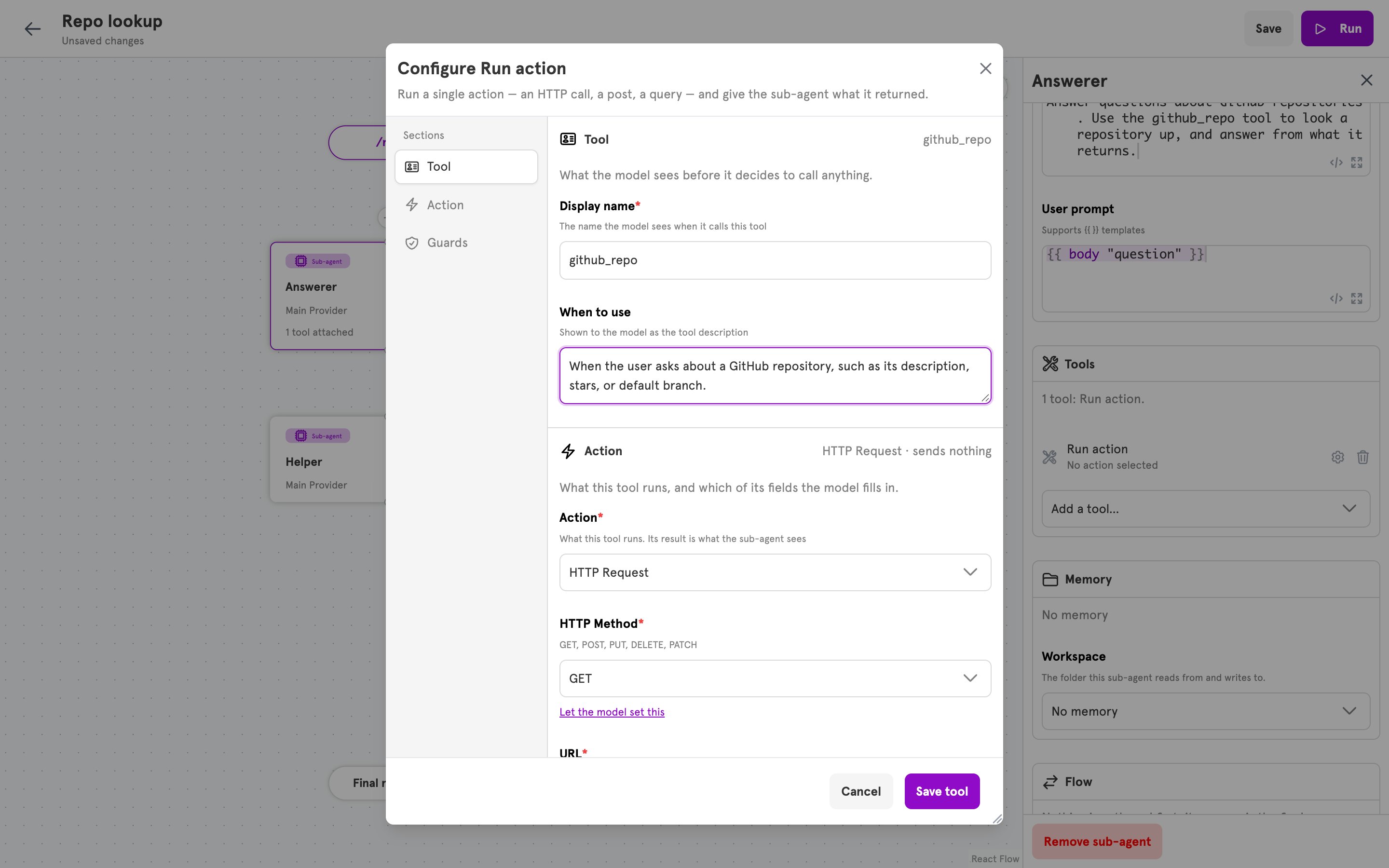
* **The agent sets it.** Under the field, click **Let the model set this**. The agent writes the value each time it uses the tool, such as the text of the message. **Set a fixed value instead** switches the field back.
Fix everything you can. Each field you hand to the agent is one more thing it can get wrong, and one more thing a person could talk it into. A tool that can post anywhere is more dangerous than one that can post in a single channel.
## The four kinds of tool
In a sub-agent's panel, **Add a tool…** offers four kinds.
**Run action.** The tool does one thing from the list of [available actions](/references/actions): send a Discord message, fetch a web address, read a pull request. Use it when the agent needs to reach a service or look something up. To set one up, see [Add a tool to an agent](/guides/add-a-tool).
**MCP server.** An MCP server is a service that offers a set of ready-made tools to AI agents. Notion runs one, for example. You give the server's address and pick which of its tools the agent may use. Use it when the service you want already has one. See [Add a tool to an agent](/guides/add-a-tool#mcp-server).
**Call sub-agent.** The tool asks another sub-agent in the same agent and brings its answer back. Use it to split a job: one sub-agent talks to the person, another does careful research. See [Call other agents](/guides/call-other-agents#let-a-sub-agent-ask-another-sub-agent).
**Agent Task Tool.** The tool hands a job to a different agent and carries on without waiting. The other agent's answer does not come back. Use it to set off work that can finish later, such as writing a report. See [Call other agents](/guides/call-other-agents#hand-a-task-to-another-agent).
## What you decide and what the agent decides
An action has fields. A tool that sends a Discord message has the channel to send to and the text to send. For each field, you choose who fills it in:
* **You set a fixed value.** The announcements tool always posts to the announcements channel. The agent cannot change that.
* **The agent sets it.** Under the field, click **Let the model set this**. The agent writes the value each time it uses the tool, such as the text of the message. **Set a fixed value instead** switches the field back.
Fix everything you can. Each field you hand to the agent is one more thing it can get wrong, and one more thing a person could talk it into. A tool that can post anywhere is more dangerous than one that can post in a single channel.
 ## File abilities are not tools you add
A sub-agent with a [workspace](/concepts/workspaces-and-files) can list, read, and write the files in it. It gets these three abilities as soon as you choose a workspace under **Memory**. They do not appear in the **Tools** list, and there is nothing to set up.
## A tool or a context step
A tool runs only if the agent decides to use it. A context step always runs, before the agent starts. Use a step for what the agent needs every time, such as who the customer is. Use a tool for what it needs only sometimes. [Context fetching](/concepts/context-fetching) compares the two.
## Limiting a tool
Anyone who can talk to your agent can ask it to use its tools. A guard is a condition on a tool, such as "only when the message came from me". If the condition is not met, the tool does not run, whatever the agent was told. See [Guard rails](/concepts/guard-rails).
## Why an agent does not use a tool
An agent that has a tool will still often answer without it. AI models lean towards answering from what they already know, and a tool's description alone is a weak hint. While these guides were written, agents said they had started a report without using the tool for it, and answered questions without asking the researcher they were given.
What works is saying so in the sub-agent's **System prompt**, in plain and firm words: name the tool, and say when it must be used. "You must use the `github_repo` tool before you answer a question about a repository" works where "you can look repositories up" does not.
A specific **When to use** helps too. "When the user asks about a GitHub repository, such as its stars or default branch" is better than "GitHub lookup".
After any change, run the agent from the editor and read the **Log**. It shows whether a tool was used.
## Related
Give a sub-agent a tool, test it, and guard it.
Everything a Run action tool can do.
Limit who can set a tool off.
A tool's keys in a config file.
## File abilities are not tools you add
A sub-agent with a [workspace](/concepts/workspaces-and-files) can list, read, and write the files in it. It gets these three abilities as soon as you choose a workspace under **Memory**. They do not appear in the **Tools** list, and there is nothing to set up.
## A tool or a context step
A tool runs only if the agent decides to use it. A context step always runs, before the agent starts. Use a step for what the agent needs every time, such as who the customer is. Use a tool for what it needs only sometimes. [Context fetching](/concepts/context-fetching) compares the two.
## Limiting a tool
Anyone who can talk to your agent can ask it to use its tools. A guard is a condition on a tool, such as "only when the message came from me". If the condition is not met, the tool does not run, whatever the agent was told. See [Guard rails](/concepts/guard-rails).
## Why an agent does not use a tool
An agent that has a tool will still often answer without it. AI models lean towards answering from what they already know, and a tool's description alone is a weak hint. While these guides were written, agents said they had started a report without using the tool for it, and answered questions without asking the researcher they were given.
What works is saying so in the sub-agent's **System prompt**, in plain and firm words: name the tool, and say when it must be used. "You must use the `github_repo` tool before you answer a question about a repository" works where "you can look repositories up" does not.
A specific **When to use** helps too. "When the user asks about a GitHub repository, such as its stars or default branch" is better than "GitHub lookup".
After any change, run the agent from the editor and read the **Log**. It shows whether a tool was used.
## Related
Give a sub-agent a tool, test it, and guard it.
Everything a Run action tool can do.
Limit who can set a tool off.
A tool's keys in a config file.