> ## Documentation Index
> Fetch the complete documentation index at: https://docs.servflow.io/llms.txt
> Use this file to discover all available pages before exploring further.
# Add an integration
> Store a third-party credential once in the dashboard so any agent's steps, entries, and tools can use it by id
This guide adds an integration in the dashboard: a stored credential, such as a database connection string or a bot token, that agents look up by id. Use it when an action, an entry, or a tool asks for an integration you do not have yet.
## Before you begin
* A running instance with the dashboard open. See [Install ServFlow](/installation).
* The credential for the service you are connecting. Each type's fields are listed in the [Integrations reference](/references/integrations).
## Add the integration
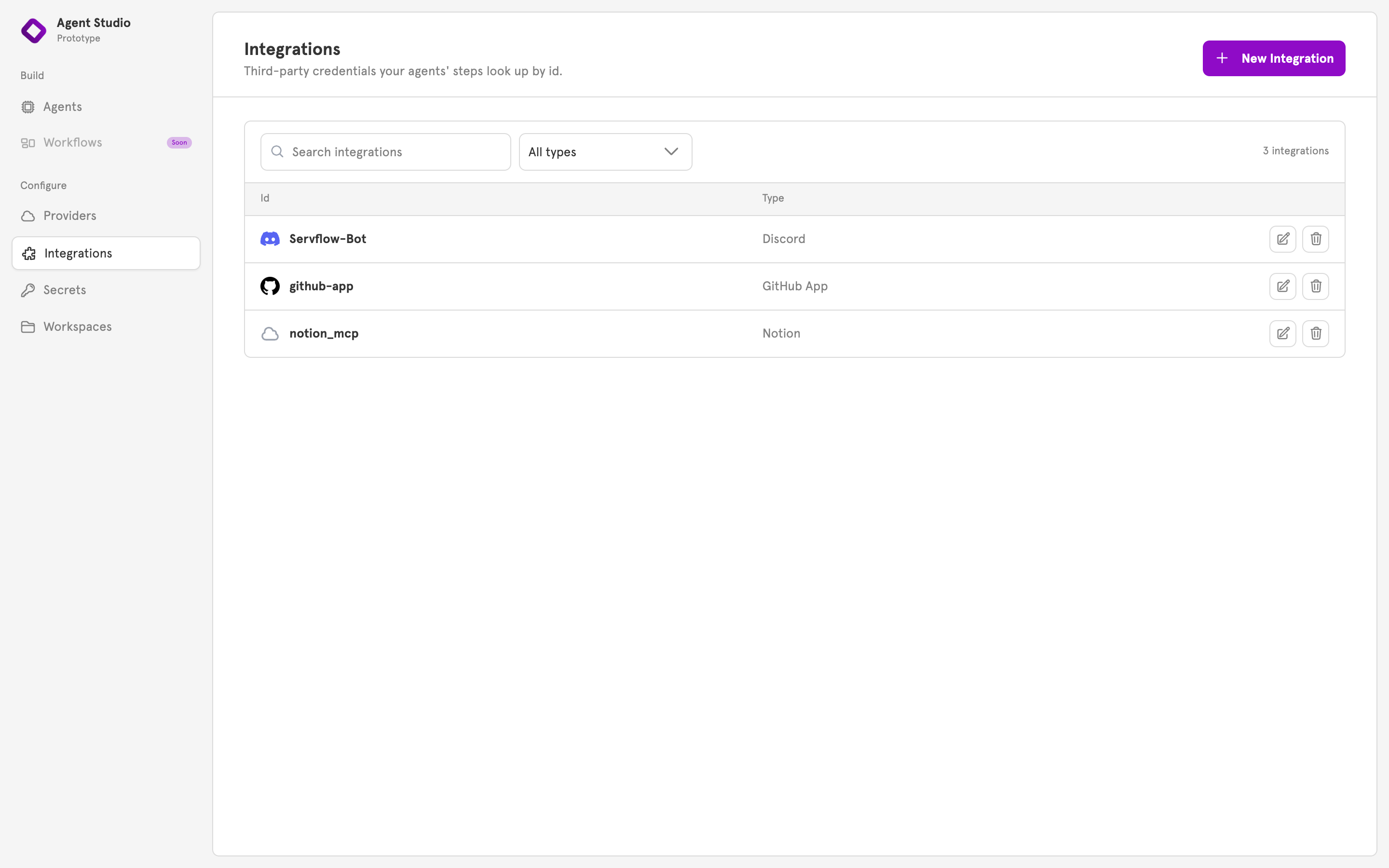
In the sidebar under **Configure**, open **Integrations**. The page lists every integration by id and type, and each row has edit and delete controls.
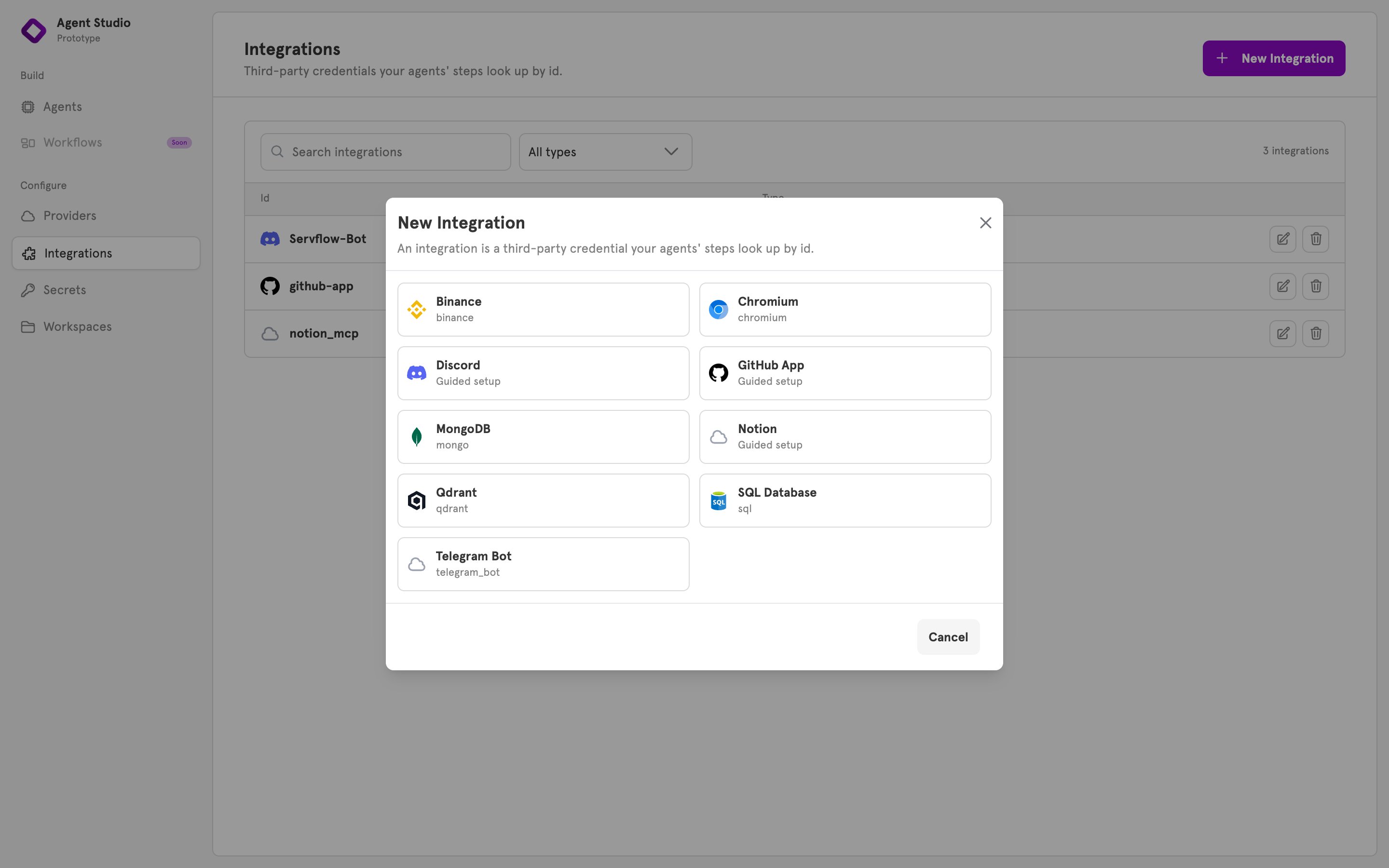
 Click **New Integration** and choose a type. Discord, GitHub App, and Notion are marked **Guided setup** and open a flow of their own. Every other type opens a form with one input per field.
 For a guided setup, see [Connect an agent to Discord](/guides/connect-an-agent-to-discord).
Enter an **Id**, for example `orders-db`. Agents reference the integration by this id, and it cannot be changed later, so choose a name that says what it connects to.
Fill in the fields. A required field is marked with an asterisk. A select field, such as SQL Database's **Database Type**, lists its allowed values.
For a guided setup, see [Connect an agent to Discord](/guides/connect-an-agent-to-discord).
Enter an **Id**, for example `orders-db`. Agents reference the integration by this id, and it cannot be changed later, so choose a name that says what it connects to.
Fill in the fields. A required field is marked with an asterisk. A select field, such as SQL Database's **Database Type**, lists its allowed values.
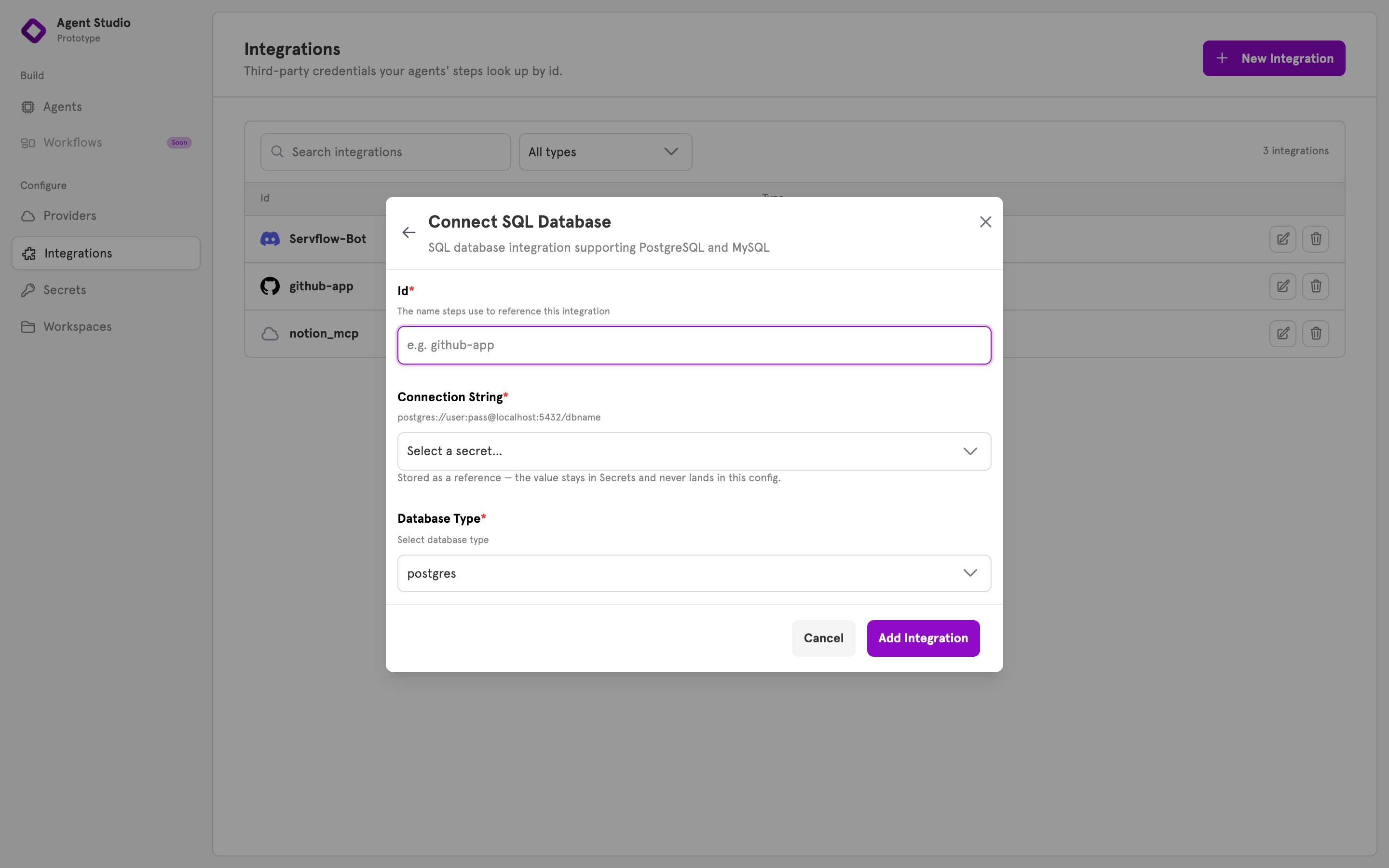 A password field, such as **Connection String** or **Bot Token**, opens a secret picker. Choose a stored secret, or choose **+ New secret…** to store the value now. The form then keeps a reference, and the value stays in Secrets.
To paste the value into the integration instead, choose **Enter a value directly…**. The form warns that the value is stored in the integration's config as typed. Any other field can hold a reference too: click **Use a stored secret instead** under it. See [Secrets](/references/secrets).
Click **Add Integration**. The dialog closes, and the integration appears in the list with its type. The server reloads its configs, so the integration is usable at once.
## Use the integration from an agent
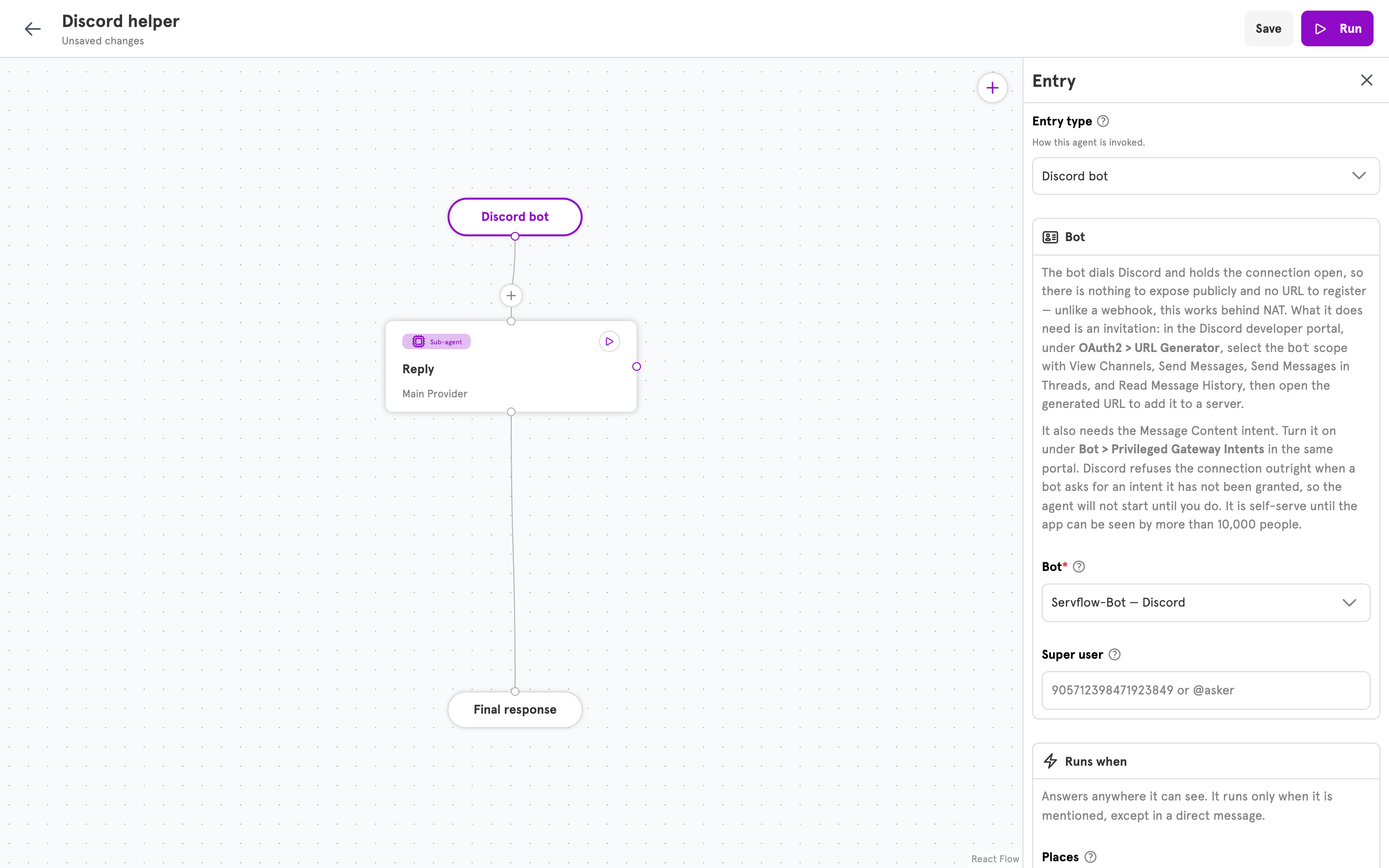
Any field that takes an integration lists the stored ones by id, filtered to the types that field accepts. In an action step, this is the step's integration field. In an entry, it is a field such as the Discord entry's **Bot**. Choose the integration, or choose **+ New integration…** to add one without leaving the editor.
A password field, such as **Connection String** or **Bot Token**, opens a secret picker. Choose a stored secret, or choose **+ New secret…** to store the value now. The form then keeps a reference, and the value stays in Secrets.
To paste the value into the integration instead, choose **Enter a value directly…**. The form warns that the value is stored in the integration's config as typed. Any other field can hold a reference too: click **Use a stored secret instead** under it. See [Secrets](/references/secrets).
Click **Add Integration**. The dialog closes, and the integration appears in the list with its type. The server reloads its configs, so the integration is usable at once.
## Use the integration from an agent
Any field that takes an integration lists the stored ones by id, filtered to the types that field accepts. In an action step, this is the step's integration field. In an entry, it is a field such as the Discord entry's **Bot**. Choose the integration, or choose **+ New integration…** to add one without leaving the editor.
 ## Edit or delete an integration
On the Integrations page, the pencil on a row opens the same form with the **Id** locked, because configs reference it. Change the fields and click **Save Changes**. A password field that holds a literal value opens blank. Leave it blank to keep the stored value, or enter a replacement.
## Edit or delete an integration
On the Integrations page, the pencil on a row opens the same form with the **Id** locked, because configs reference it. Change the fields and click **Save Changes**. A password field that holds a literal value opens blank. Leave it blank to keep the stored value, or enter a replacement.
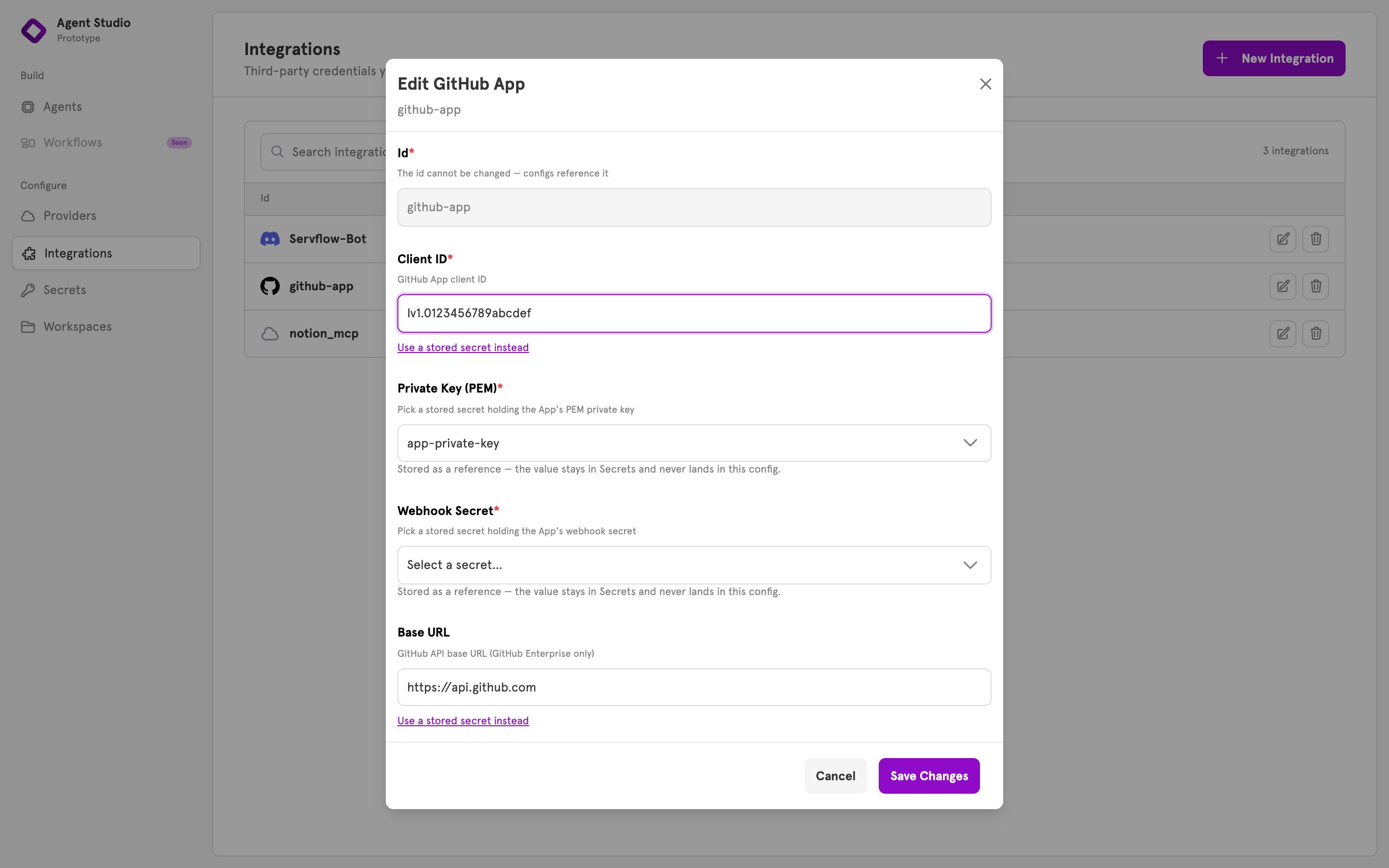 The trash icon deletes the integration. A step or entry that references the deleted id fails until it is pointed at another integration.
## Verify
The integration appears in the list on the Integrations page. From the terminal, it also appears in:
```bash theme={null}
servflowai resource integration list
```
The list shows ids and types only. Config is never printed.
## Related
Every type, its fields, and what uses it.
Store a credential once and reference it from an integration.
A guided setup, end to end.
Build the agent that uses the integration.
The trash icon deletes the integration. A step or entry that references the deleted id fails until it is pointed at another integration.
## Verify
The integration appears in the list on the Integrations page. From the terminal, it also appears in:
```bash theme={null}
servflowai resource integration list
```
The list shows ids and types only. Config is never printed.
## Related
Every type, its fields, and what uses it.
Store a credential once and reference it from an integration.
A guided setup, end to end.
Build the agent that uses the integration.