

What a guardrail is
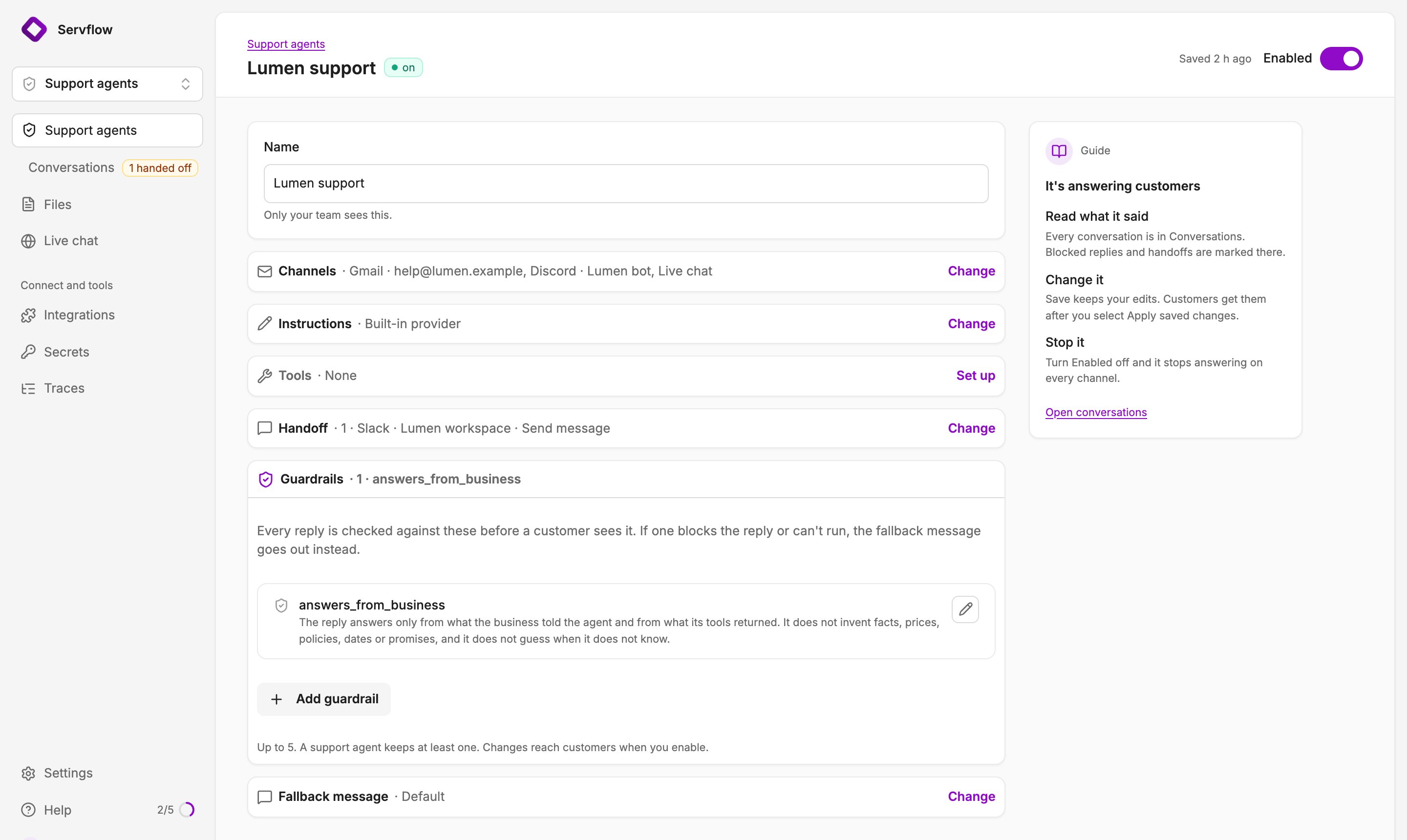
A guardrail is a name and one rule in plain words. The rule answers the question What must every reply do?, in up to 2,000 characters. The name is how the trace and the conversation refer to the guardrail when it blocks a reply, for examplestays_on_topic.
A support agent has between one and five guardrails. You add, change and remove them in the Guardrails section of the support agent’s page; a support agent always keeps at least one.
How a check runs
The support agent drafts a reply first. Before the reply leaves, every guardrail checks it at the same time, each in a separate model call, outside the conversation with the customer. The customer waits for the slowest check. Each check reads four things:- the customer’s latest message
- the tools the support agent used for this reply, and what each returned
- the files loaded for this message: every file with no policy label, and the files whose policy labels the conversation loaded
- the draft reply
When a guardrail blocks a reply
When one or more guardrails block a reply, the support agent gets one more try. It is told that its reply was not sent, with the name of each guardrail that blocked it and the reason, and it writes a new reply to the customer’s message. The customer never sees the blocked reply. The new reply goes through every guardrail again:- If the new reply passes, it is sent like any other reply, and the conversation is not marked blocked.
- If the new reply is blocked too, it is withheld, and the customer gets your fallback message.
What blocked means
A reply is withheld, and the customer gets your fallback message instead, when:- the second reply is blocked too
- a check fails or can’t reach a model
- the checks of one reply take longer than 30 seconds
- the support agent wrote no reply at all
The fallback message
The fallback message is what a customer gets instead of a reply that was withheld. It is also sent when the support agent’s run fails, for example when the files loaded for a message go over the 200,000-character limit. A failed run is not marked blocked; find it under Failed on the Traces page. It can be up to 1,000 characters. If you leave it empty, customers get:The default guardrail
A new support agent starts with one guardrail,answers_from_business, so that no reply goes out unchecked:
Which version is checked
Replies are checked against the guardrails and the fallback message of the version you last enabled. A saved change to them reaches customers only after Apply saved changes. This keeps a half-written rule from blocking real replies while you edit.Writing a good rule
A good rule describes one thing that a reply can be judged on from the reply itself, the customer’s message, what the tools returned, and the loaded files. Write it as what the reply does, not what the support agent should think. Some examples:- Stays on topic.
The reply is about our shop, its products, orders or services, and nothing else. - No commitments.
The reply does not promise a refund, a discount, a replacement or a delivery date unless a tool returned it or a file states it. - No personal data.
The reply contains no email address, phone number or street address except ones the customer wrote in their message.
- One concern per guardrail. A rule that mixes three concerns is harder for the check to apply, and its reason is harder for you to read.
- Each guardrail is a model call. The checks run at the same time, so the reply waits for the slowest one, and more guardrails mean more chances that one blocks it. Use the few that matter.
- Read what gets blocked. In the first days, open the blocked conversations. A rule that blocks good replies needs rewording; a reply that should have been blocked needs a rule.
Guardrails and tool guards
Servflow has two kinds of safety rule, and they check different things at different times.
For guards on an agent’s tools, see Guard rails.
Next steps
Read support conversations
Find blocked replies and see which guardrail stopped them.
Create a support agent
Set one up and enable it.
Set up a handoff
Let the support agent pass a customer to a person.
Guard rails
Limit what an agent’s tools may do.