

tools in the agent config. This page lists every tool type, its fields, guards, the built-in tools every sub-agent has, and the errors a tool config can be refused with. servflowai resource agent schema prints the same shapes as JSON Schema. To attach a tool in the dashboard, see Add a tool to an agent.
Fields every tool has
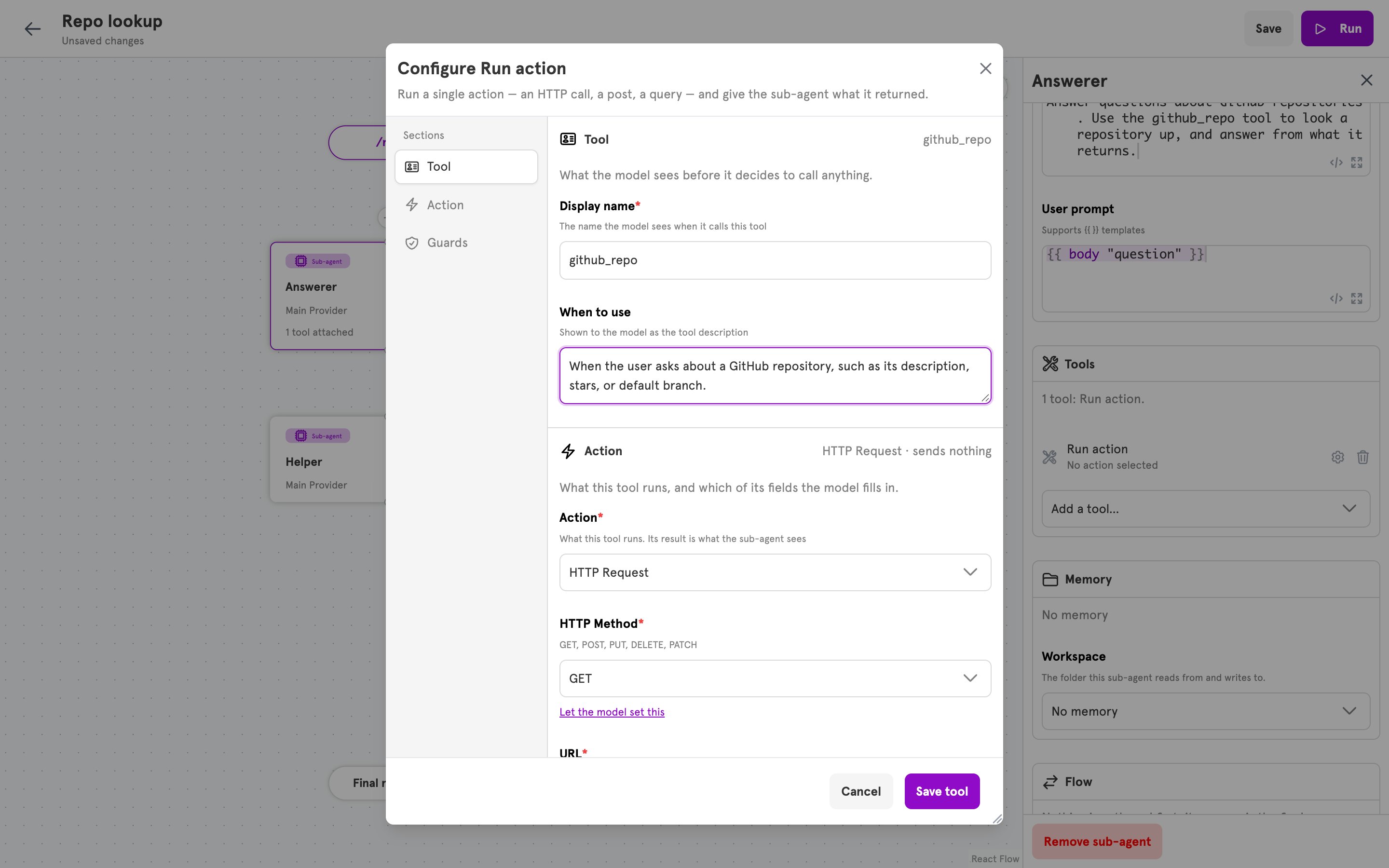
In the dashboard, a tool is edited in one dialog with three sections: Tool holds
name and description, the middle section holds the type’s own fields, and Guards holds guards.
Types
action
Runs one action when the model calls the tool. The action is not a step in the agent’s flow. It is built and run for the call, and its result is the tool result.
Each field value is an object with two keys.
Inputs the model is asked for:
- Every name in
params, in order, then every field of typeparam, then everytool_param "<name>"call found inside arawstring value. - An input that fills a field is required when the action declares any field it fills as required. An input that comes only from
paramsor from atool_paramcall is always required. - An input that fills a select field is described to the model with the field’s allowed values.
- Every input reaches the action as a string. A template reads it with
{{ tool_param "<name>" }}.
mcp
Offers the model tools from a Model Context Protocol server. Each name intoolsList becomes one tool, with the name, description, and inputs the server declares for it.
The token is sent as the
Authorization header when the server’s tools are listed and when one is called. name and description are not used, because the server supplies its own. Guards on an mcp tool cover every name in toolsList.
agent
Calls another sub-agent of the same agent. The called sub-agent runs with its own prompts, and its reply is the tool result.
Each name in
params is declared to the model as a required string, and the called sub-agent’s prompts read it with {{ tool_param "<name>" }}. The dashboard sets no params, so a tool created there asks the model for nothing.
agent_task
Starts another stored agent as a task of its own. The tool returns as soon as the task has started. Nothing the other agent says comes back, and the task runs in its own conversation thread.
The model sends one input,
instruction. The other agent reads it as {{ input "instruction" }}. params must be empty.
Guards
A guard is a condition checked before every call of the tool it is on. It is evaluated against the request that started the run: what the entry delivered, and the output of context steps that ran before the sub-agent. It never reads the inputs the model sent. Every guard on a tool has to pass.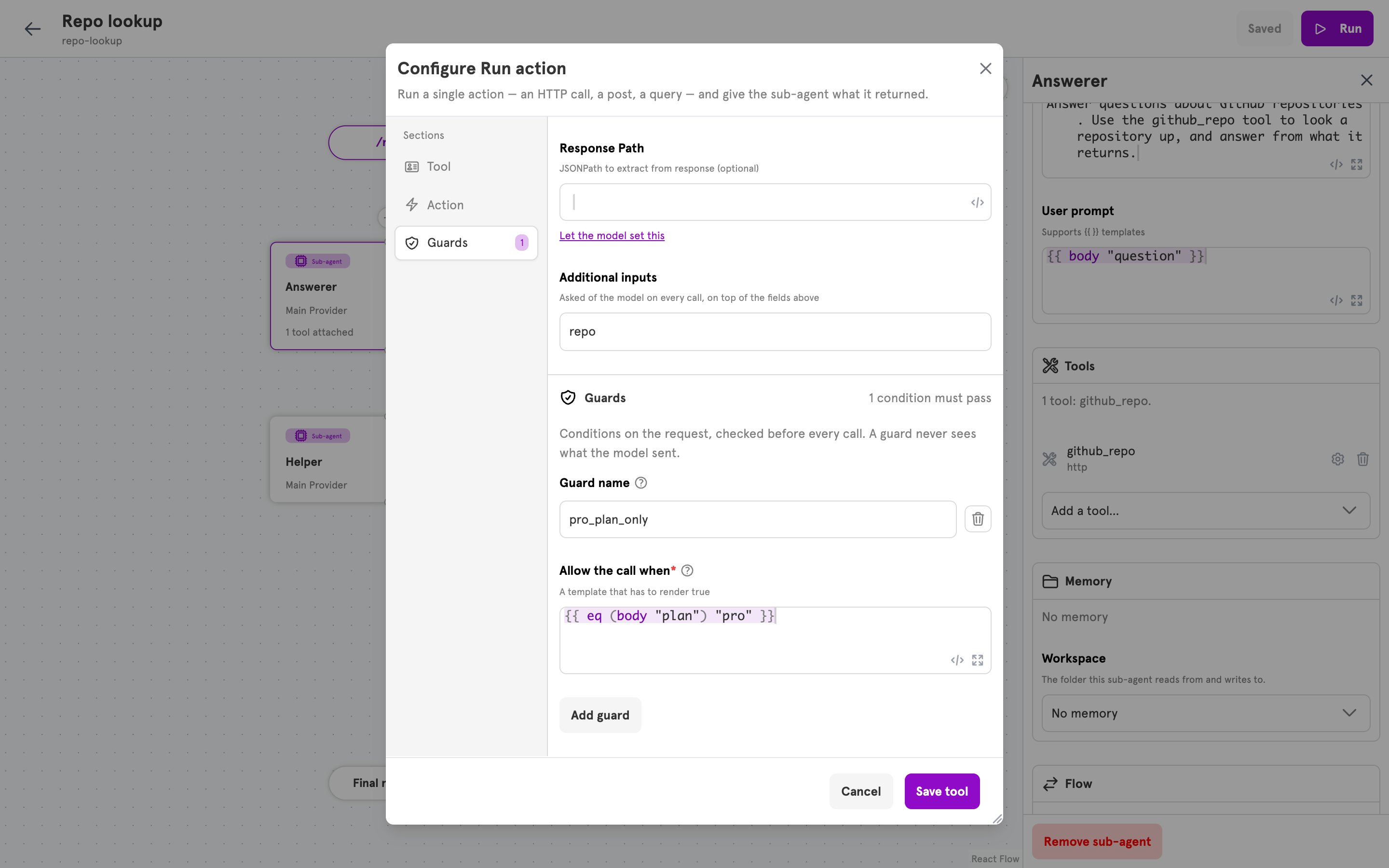
tool "<tool name>" is not allowed: guard "<guard name>" did not pass as the tool result, and the run’s log reads “tool call denied by guard”.
Built-in tools
Every sub-agent has three file tools, with nothing to configure. They work in the sub-agent’s workspace, set byworkspaceID on the sub-agent, or Workspace under Memory in the dashboard. A sub-agent with no workspace still has them, and a call returns an error saying there is no workspace. A tool you attach under the same name replaces the built-in one.
Paths are relative to the workspace root. A path that does not exist, or that points outside the workspace, returns a message to the model instead of an error.
Errors
A config is checked when it is created or updated, in the dashboard, the CLI, and the MCP server. Each message is prefixed with where the tool is, such asagent "answer" tool 0:.
Related
Add a tool to an agent
Attach a tool in the dashboard, test it, and guard it.
Available actions
The actions an action tool can run.
Dynamic content
Template functions such as
tool_param, body, and header.Conditionals
The structured form a guard can take, and its comparison functions.