

The three kinds of entry
A path is the address on your ServFlow instance that starts the agent, such as
/ask.
Whichever entry starts it, the agent does the same work. An entry changes how a run begins and where the reply goes, not what the agent does.
What a handler does that a webhook does not
A webhook is a plain door. Anything that knows the path can send a request, and whatever sent it gets the agent’s reply back. That suits an application you write yourself, because you decide what it sends and what it does with the reply. A streamable webhook is the same kind of entry, but it keeps the response open and sends the agent’s messages as Server-Sent Events while the run goes on. GitHub, Telegram, and Discord each have their own rules for sending messages and receiving replies. An entry handler knows the rules of one service, so you do not have to. A handler:- Checks the message is really from your bot or App. Anything else is turned away before the agent runs.
- Decides whether the message is for the agent. Its settings choose which events, places, or mentions count, so the agent does not answer everything it can see.
- Keeps the conversation together, so the agent remembers earlier messages where that makes sense.
- Posts the reply where the message came from, as your bot or App.
The handlers
There are four. Each is an option under Entry type in the dashboard.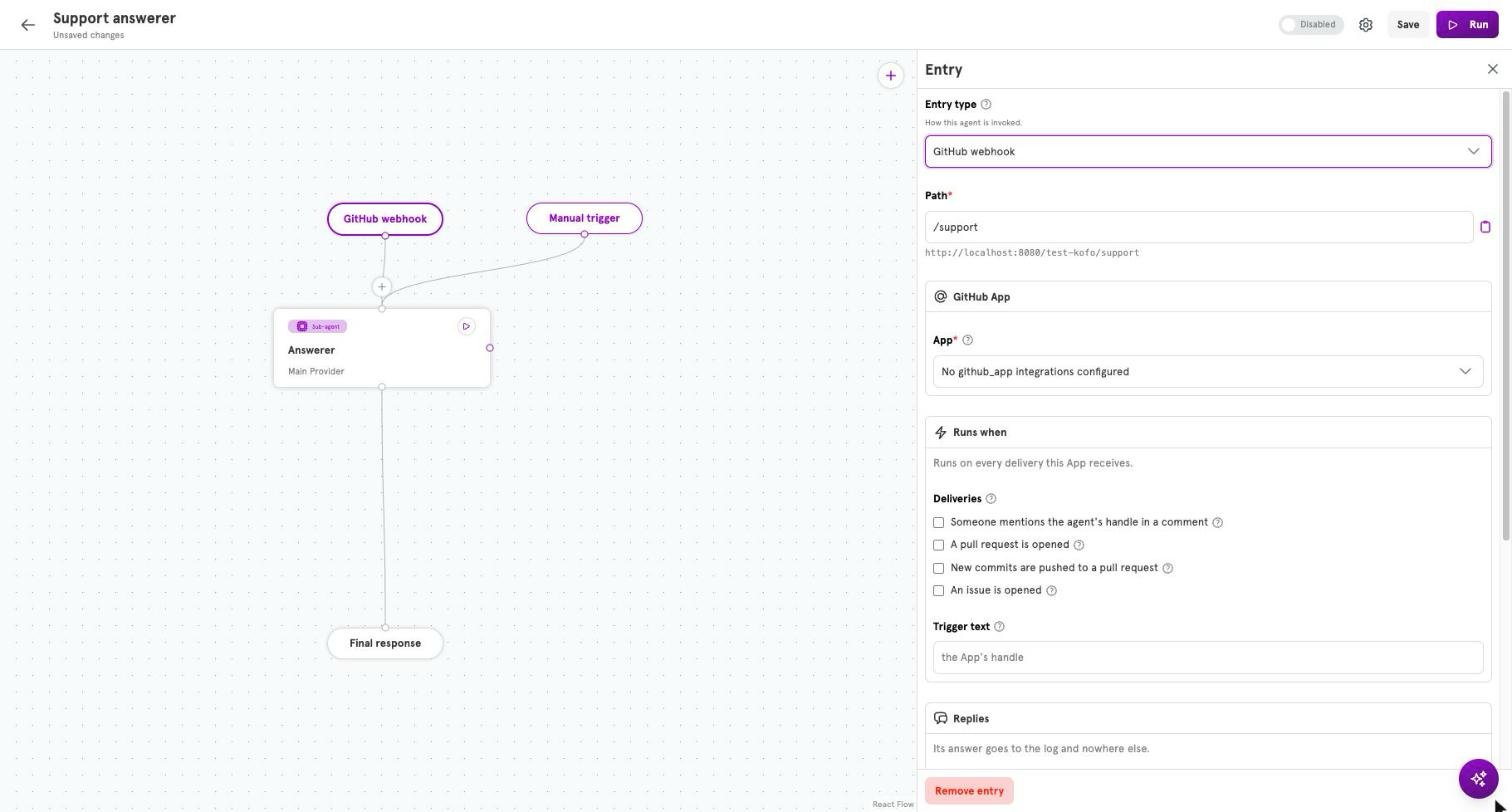
GitHub webhook
Starts the agent when something happens in a repository where your GitHub App is installed: a comment on an issue or pull request, a review comment, a push. By default a comment has to mention the App. The agent’s reply is posted as a comment on the same pull request or issue, once you choose where under Reply on. A new GitHub entry is set to Never reply. You need a GitHub App integration and a path. Seegithub_webhook.
Streamable webhook
Starts the agent from your own application like a webhook does, but instead of waiting for one final response, your application receives a stream of events as the run goes. Assistant messages arrive asmessage events, tool starts arrive as tool_call, and the last event is done.
You need a path. See streamable_http_webhook.
Telegram bot
Starts the agent when someone messages your Telegram bot. The chat shows the bot typing while the agent works, and the reply arrives as a message in the same chat. You need a Telegram bot integration and a path. Seetelegram_webhook.
Discord bot
Starts the agent when someone messages your Discord bot, by default only when they mention it. The reply arrives as a reply to that message. Discord needs no path, so the agent works even from a laptop that nothing outside can reach. You need a Discord integration. Seediscord_gateway, and Connect an agent to Discord for the whole setup.
Set a handler in the dashboard
The steps are the same for all four path-based entries, apart from Discord not needing a path.- Add the handler’s integration, if you do not have one yet.
- Open the agent in the editor and click the entry node at the top of the canvas. The Entry panel opens.
- Under Entry type, choose GitHub webhook, Telegram bot, Discord bot, or Streamable webhook. The handler’s settings appear.
- Choose the integration if this entry type uses one. For GitHub, Telegram, and Streamable webhook, enter a Path. An entry that already had a path keeps it, and the field is under Advanced settings.
- Click Save.
What the agent remembers
An agent remembers the earlier messages of the conversation a run belongs to. The entry decides what counts as one conversation.
This is why a Telegram bot remembers what you said a minute ago with nothing set up, and why a pull request reviewer reads each comment fresh.
For something an agent should remember beyond one conversation, give it a workspace. See Workspaces and files.
Where the reply goes
Telegram and Discord receive the reply as a message, in the chat or channel that asked. GitHub does not wait for an agent. The handler answers GitHub straight away with the status code202, which means “received, working on it”. When the agent finishes, the handler posts the reply as a comment.
A webhook caller waits for the agent and receives the reply as the response, with the status code 200. If the agent said nothing, the status code is 204, which means “done, nothing to return”.
A streamable webhook caller opens one HTTP request and receives Server-Sent Events while the run is happening. The final reply comes in the done event instead of as the whole response body.
A trigger has nobody to reply to. For a triggered agent to have an effect, give it tools.
What the prompt can read
A handler gives the prompt the parts of a message by name. A Discord agent reads the message text as{{ .discord.content }}, and a GitHub agent reads a comment as {{ .github.comment_body }}. A webhook agent reads a field your application sent with {{ body "question" }}. The reference lists every name, and Dynamic content explains how these work.
Steps before the agent
Sometimes an agent needs to know something before it starts: which customer is writing, what a pull request changed, what is in stock. An entry can run steps for that. A step is an action that runs every time the entry fires, before the sub-agent, and hands what it returns to the sub-agent’s prompt.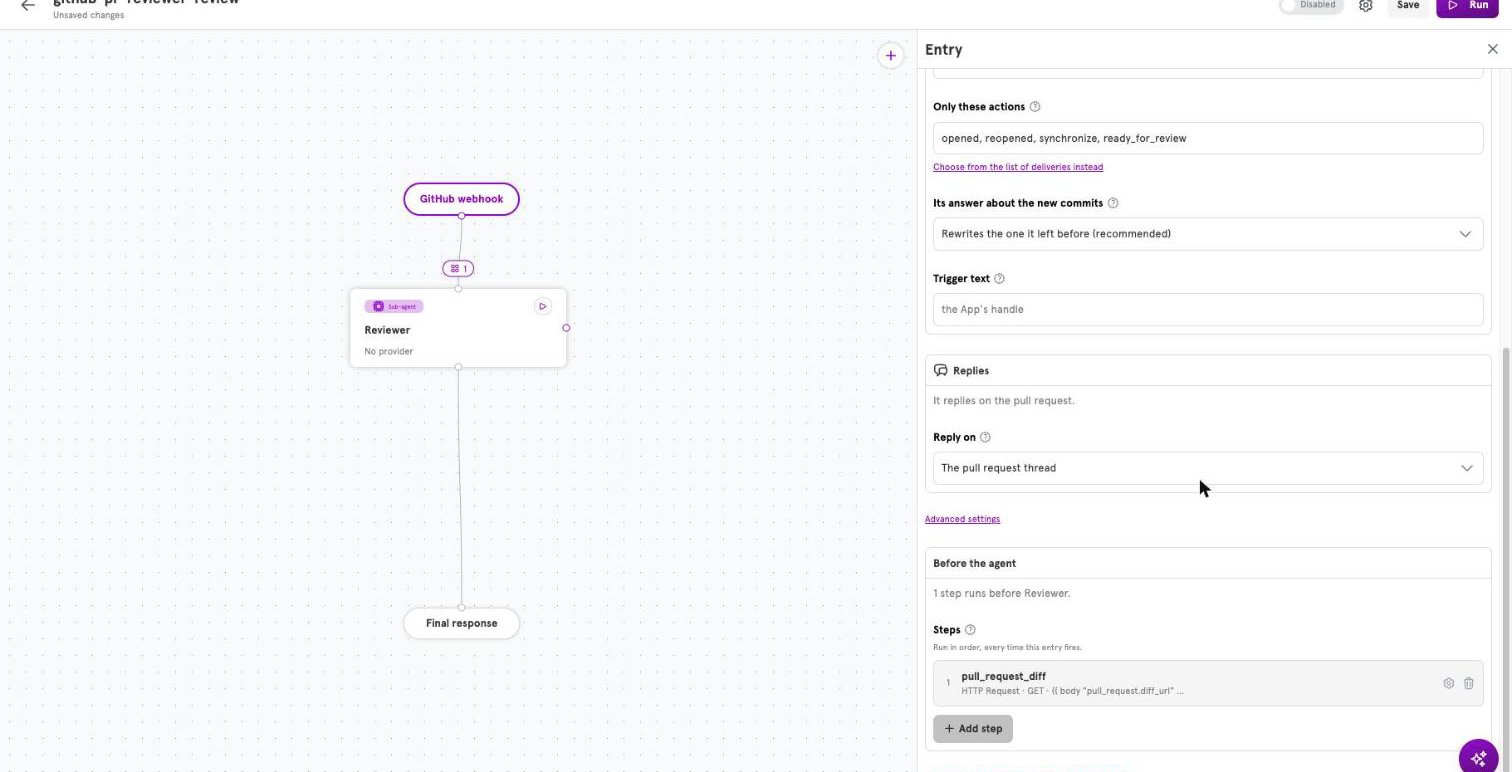
A step always runs. A tool runs if the agent decides to.
A step and a tool can do the same job, such as looking something up in a database. The difference is who decides.
Use a step for what you always need. It costs nothing in model decisions, and the agent cannot forget to do it. Use a tool for what you sometimes need.
Reading what a step found
Each step has a name, and a prompt reads the step’s result by that name. A name is lowercase letters, digits, and underscores. The dashboard names a step after its action until you type a name of your own: a step you call “Look up customer” is namedlook_up_customer. No two steps or sub-agents in an agent share a name, across all of its entries.
In this User prompt, customer is a step that looked the customer up from the email address in the message:
{{ .customer.id }} in the second step’s address.
If a step cannot finish, the run stops there and the sub-agent is not called. If an agent with steps goes quiet, check its steps first. If a step finished but did not return the field a prompt reads, that part of the prompt is left empty, so write prompts that still read sensibly.
Add a step in the dashboard
- On the canvas, click + on the line from the entry to its sub-agent. If the entry already has steps, the badge shows how many; click it, or open the entry and, under Before the agent, click Add step.
- Under Action, search for what the step does and click it.
- Under Name, keep the name the step was given or type your own. The line under the field shows how a prompt reads it.
- Under Fields, fill in the action’s settings. The heading says when a required field is still empty.
- Click Add step, then click Save.
Steps in a config file
In a config file, steps go under the entry, before itsstart. A step is an id, an action type, and the action’s config:
steps list. An id is lowercase letters, digits, and underscores, and cannot start with a digit. Each field in config takes the type its action expects: a string, a boolean, a list, or a map. Every string is a template. The fields of each built-in action are in Available actions.
More than one way in
An agent can have several entries. A common pairing is a webhook, so your application can ask the agent questions, and a trigger, so other agents can hand it tasks. Each entry has its own steps, so a pull request webhook can fetch the diff while the trigger fetches nothing.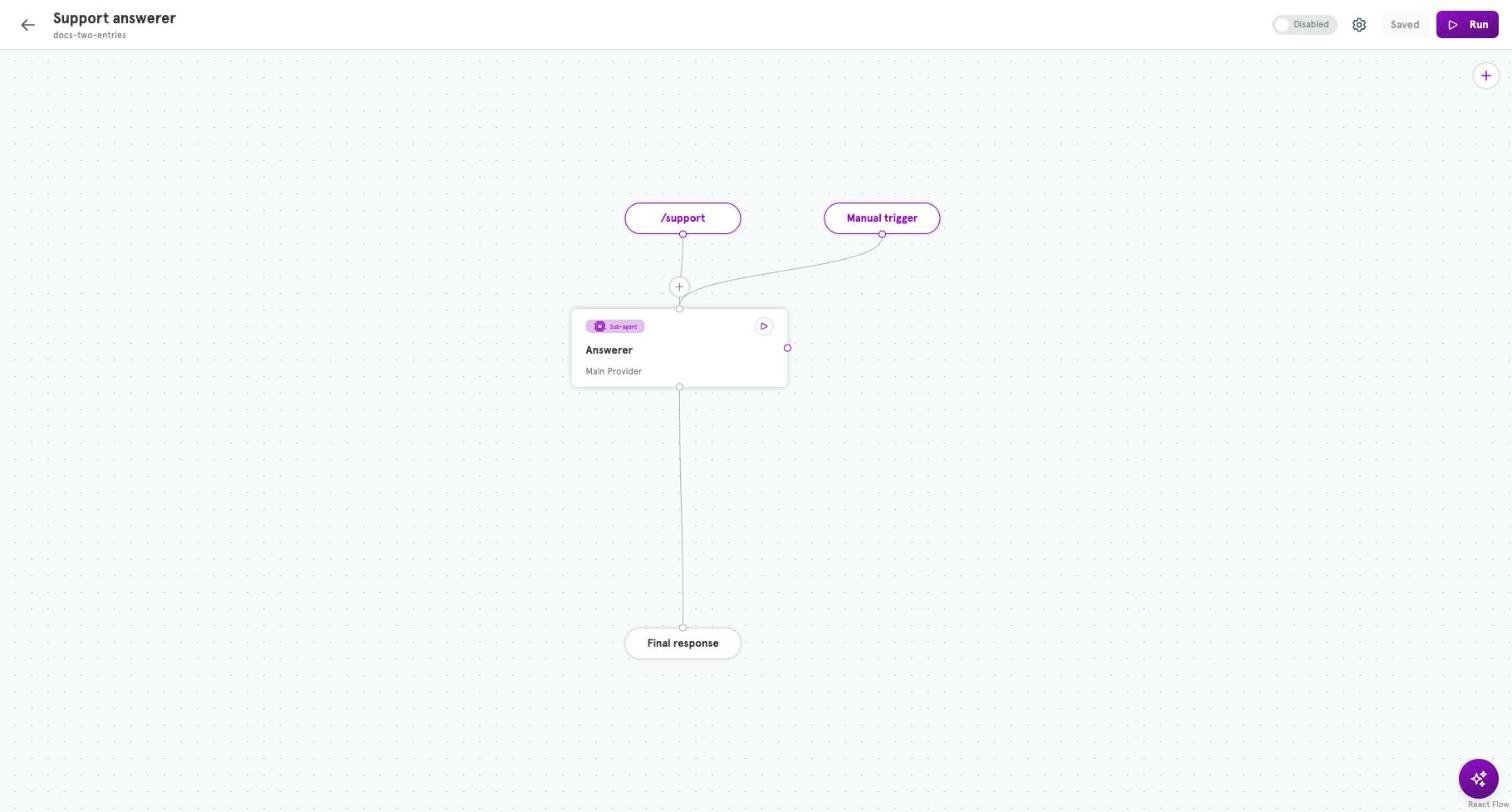
Handlers and integrations
Every handler needs one integration: the stored details of your bot or App. The handler uses it to check incoming messages and to reply as that bot or App. You add the integration first, and the agent refers to it by its generated id. Several agents can share one integration. With Discord, take care: every agent on the same bot sees every message the bot sees, and each decides for itself whether to answer. Give each agent its own channels or commands, or two of them will reply to the same message.Related
Available entry handlers
Every entry type, each handler’s settings, and the names it gives the prompt.
Connect an agent to Discord
Set up a Discord entry, end to end.
Available integrations
The bot or App details a handler checks messages against and replies as.
Agents
What an agent is made of, and where entries fit.
Available actions
Every built-in action a step can run, and its fields.