

What an agent can do in a workspace
An agent with a workspace can do three things there: see which files exist, read a file, and write a file. It gets all three the moment you choose a workspace for it. There is no tool to add. It works with text: notes, Markdown, CSV, JSON. It cannot read pictures, PDFs, or other files that are not text, and it says so if it is asked to. Writing a file replaces what was in it. That is why a prompt that keeps notes tells the agent to read the file first, add to it, and save the whole thing.Two kinds of memory
An agent already remembers the conversation it is in, without a workspace. A workspace is for what should outlast the conversation.
What counts as one conversation depends on how the agent is started: a Telegram chat, a Discord channel, or whatever a caller of a webhook says it is. See What the agent remembers.
An example makes the difference concrete. A Discord bot remembers what was said in
#support an hour ago, because that channel is one conversation. It knows the office hours in every channel, because they are in a file.
An agent uses a workspace only if you tell it to
Choosing a workspace gives the agent the ability, not the reason. Say in the System prompt what to keep, in which file, and when to read it:Sharing a workspace
Several sub-agents, in one agent or in different agents, can use the same workspace and see each other’s files. That is how one agent can leave something for another. If two of them write the same file at the same moment, the later one wins.Who can change the files
Anyone who can message the agent can ask it to write, and the agent will unless its prompt tells it not to. The built-in Discord template handles this in its prompt. Each message tells the agent whether the sender is the bot’s owner, and the prompt tells the agent to refuse note changes from anyone else. A guard limits a tool, and reading and writing files are not tools you can put a guard on. Limit them in the prompt.Workspaces in the dashboard
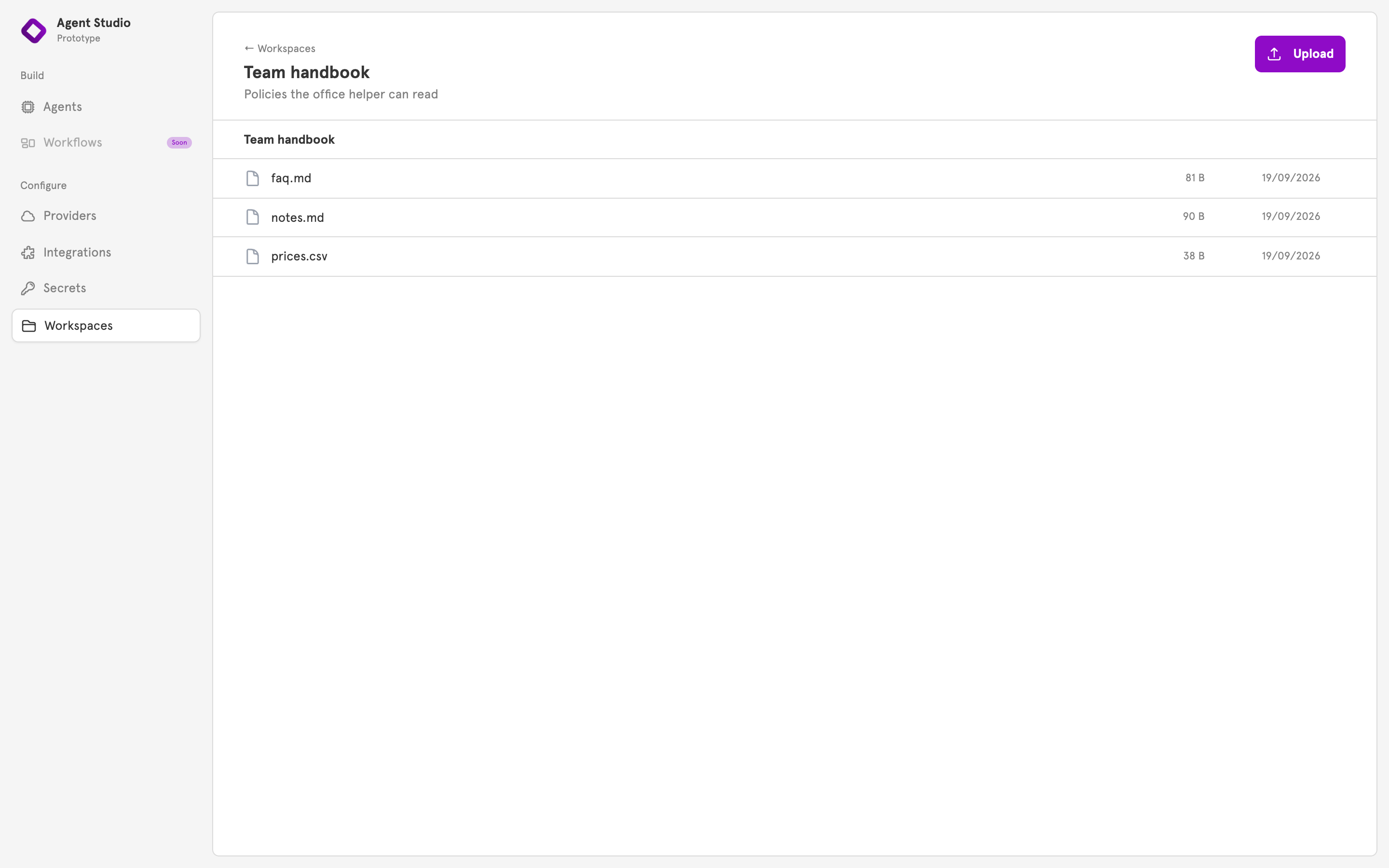
Workspaces, in the sidebar under Configure, lists your workspaces, and New Workspace creates one. Open a workspace to Upload files, read them, or delete them. To give a workspace to a sub-agent, open the sub-agent and choose it under Memory.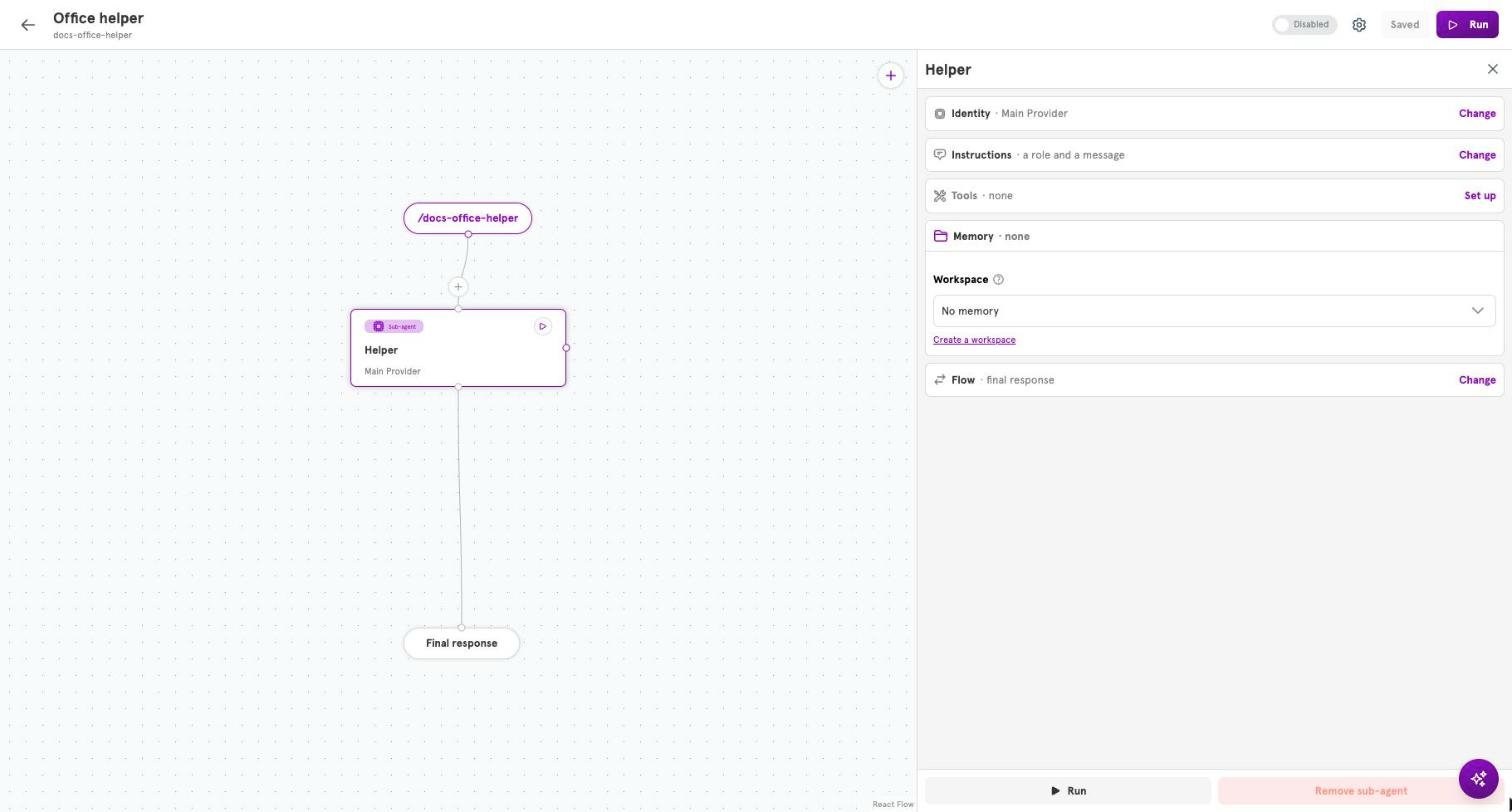
Related
Set up memory and file access
Create a workspace and give it to a sub-agent.
Entries and entry handlers
What counts as one conversation for each kind of entry.
Guard rails
Limit what people can make your agent do.
Agents
What an agent is made of.