

Your account, not ours
A provider uses your own key. The model company bills you for what your agents use through it, including test runs from the editor. Those calls do not spend ServFlow credit. ServFlow can talk to five kinds of provider: Claude, OpenAI, OpenRouter, LiteLLM, and Qwen. OpenRouter and LiteLLM are services that give access to many companies’ models through one account.Built-in model access on ServFlow Cloud
ServFlow Cloud includes model access, so a new agent runs without an API key. A sub-agent with no provider chosen calls your team’s built-in model through OpenRouter, and ServFlow pays for the calls out of your team’s credit: the monthly credit your plan includes, then any credit you buy. A new team’s built-in model is Claude Sonnet 5.5 (anthropic/claude-sonnet-5.5), and you can change it.
Built-in access is not a provider. It does not appear on the Providers page, in provider lists, in the CLI, or in MCP. It is what a sub-agent uses when its Provider setting is empty. A self-hosted instance has no built-in access, so there every sub-agent must have a provider.
Choose the built-in model
The built-in model belongs to your team, so every sub-agent with no provider uses the same one. Anyone on your team can change it. To change the built-in model, follow these steps:- Go to Settings > Billing.
- Under Built-in model, search for a model by name and choose it. The list holds every model on OpenRouter that can call tools, since agents act through their tools.
- Click Save.
Monthly credit by plan
The credit resets at the start of each calendar month, UTC, not on your billing date. What you have spent shows as a usage row in your plan’s billing usage.
Bought credit
Any team can buy credit, on any plan, Free included. To buy credit, go to Settings > Billing and enter an amount under Buy model credit, in whole dollars from $5 to $500. Checkout adds a processing fee of 5.5%, so $10 of credit costs $10.55. The credit is added to your team when the payment goes through. Bought credit works as follows:- It is used only after the month’s plan credit is spent.
- It does not expire, and it does not reset at the start of the month.
- It stays when you upgrade, downgrade, or cancel your plan.
When the credit runs out
When your team has spent the month’s plan credit, runs that use built-in access move on to your bought credit. When that is spent too, or you have none, runs that use built-in access fail with a prompt to buy credit. They work again as soon as you buy credit, at the start of the next month, or when you upgrade. Sub-agents with their own provider keep running.When you change plan
Plan changes apply at once:- Upgrade. The month’s credit rises to the new plan’s amount. What you already spent this month still counts.
- Downgrade. The month’s credit falls to the new plan’s amount. If you already spent more than that, built-in access is blocked until the next month.
- Cancel. The plan’s monthly credit stops right away. Bought credit you have left keeps working.
Use your own key instead
To use your own key for a sub-agent, add a provider and choose it under the sub-agent’s Provider setting. That sub-agent then calls the model through your account and spends none of your ServFlow credit. To go back to built-in access, clear the setting. See Manage LLM providers.One provider, many sub-agents
You set a provider up once. Each sub-agent then chooses one. Most instances need only one or two providers.The model belongs to the provider
A sub-agent’s panel has a Provider setting and no model setting, because the model is part of the provider. To run a quick, low-cost model for a simple stage and a stronger one for a hard stage, add two providers with the same key and different models. Then choose between them in each sub-agent:Changes apply from the next run
When you change a provider’s key or model, every agent that uses it follows on its next run. You do not reopen or save the agents.If a provider is deleted
ServFlow lets you delete a provider that agents still use. Those agents then fail when they next run. Point them at another provider first.Keeping the key safe
The key is kept with the provider. It is hidden as you type it and is left out of lists. It is not a stored secret, so you will not find it on the Secrets page. If you run your own instance, you can have ServFlow encrypt stored keys. See the Configuration reference.Providers in the dashboard
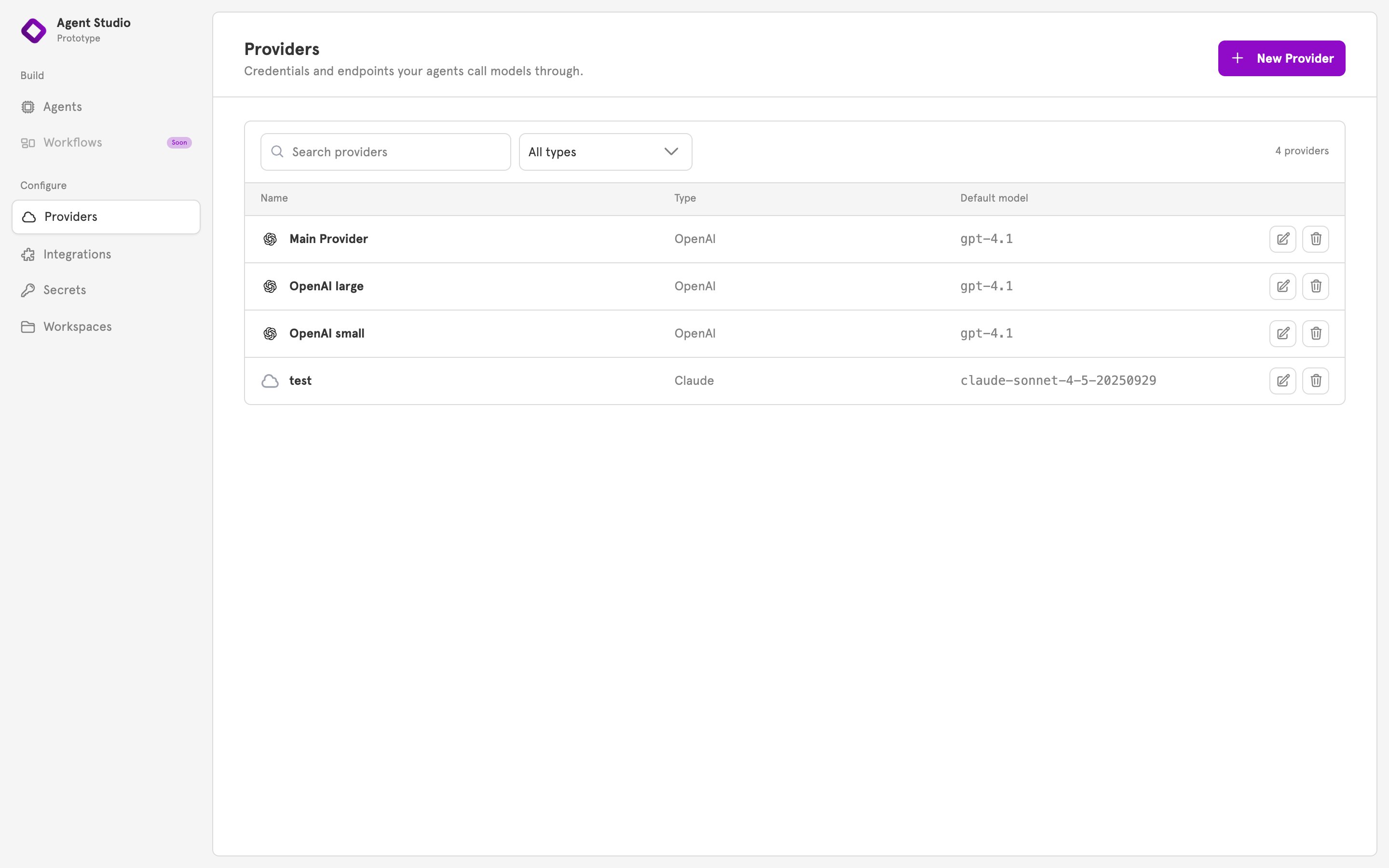
Providers, in the sidebar under Configure, lists your providers, and New Provider adds one. To choose a provider for a sub-agent, open the sub-agent and pick it under Provider.Related
Manage LLM providers
Add, change, and delete a provider.
Available providers
Every provider type and its fields.
Agents
Sub-agents, and what each one needs to run.
Secrets
Where tokens for integrations are kept.