


Why use a secret
A token is typed once. It does not appear in an agent’s settings, or in a config file you might share. And when it has to be replaced, you replace it in one place.Where secrets are used
- In an integration. A sensitive field, such as a Discord bot’s token, takes a secret chosen from a list. See Integrations.
- In a prompt or a tool’s settings. Write
{{ secret "name" }}where the value should go, for example an API key in a web request that a tool makes. By default, ServFlow checks an environment variable with that exact name before it checks the stored secret. Set[secrets].disable_env = trueto skip environment lookup. See Dynamic content and Configuration.
You can replace a secret, not read it
Once saved, the value is not shown anywhere. If you lose the original, create a new token with the service it came from, and replace the secret’s value. A secret’s name cannot be changed. It is also the secret’s identity in the dashboard and API, so use letters, digits, underscores, dots, or hyphens only. If you need a different name, create a new secret.When a change takes effect
So after you replace a token that an integration uses, ServFlow updates integrations that name it. If an entry depends on that integration, save the agent too.
Deleting a secret
Whatever uses a deleted secret fails the next time it runs, and ServFlow cannot tell you in advance what that is. Check your integrations and prompts first.Secrets in the dashboard
Secrets, in the sidebar under Configure, lists your secrets by name, never by value. Click New Secret to add one. In an integration’s dialog, a sensitive field lists your secrets, and Use a stored secret instead switches an ordinary field over to one.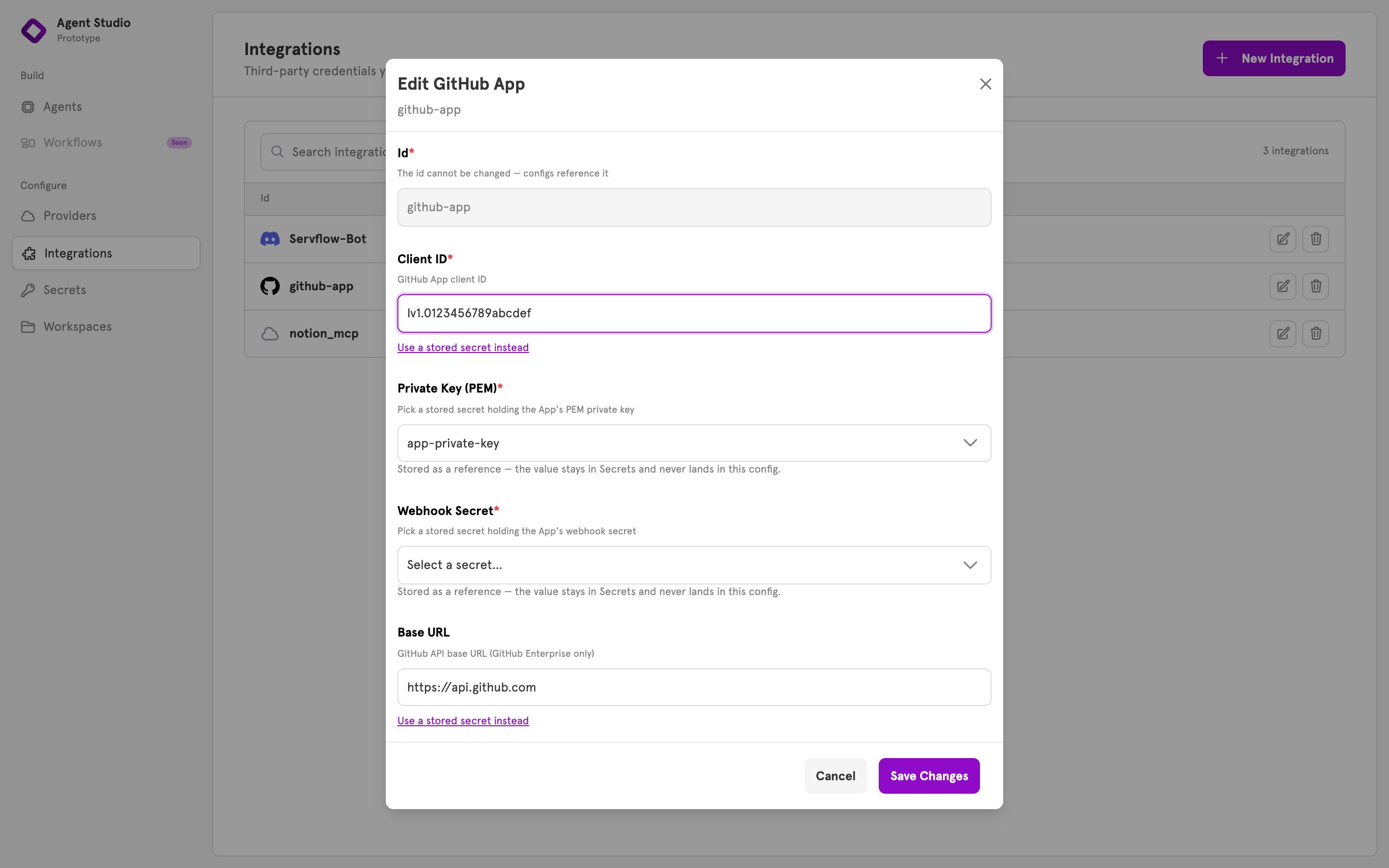
Related
Add an integration
Use a secret in an integration’s field.
Integrations
What an integration is and where it is used.
Providers
Where a model company’s key goes.
Configuration
Where secrets are stored, and how they are encrypted.