

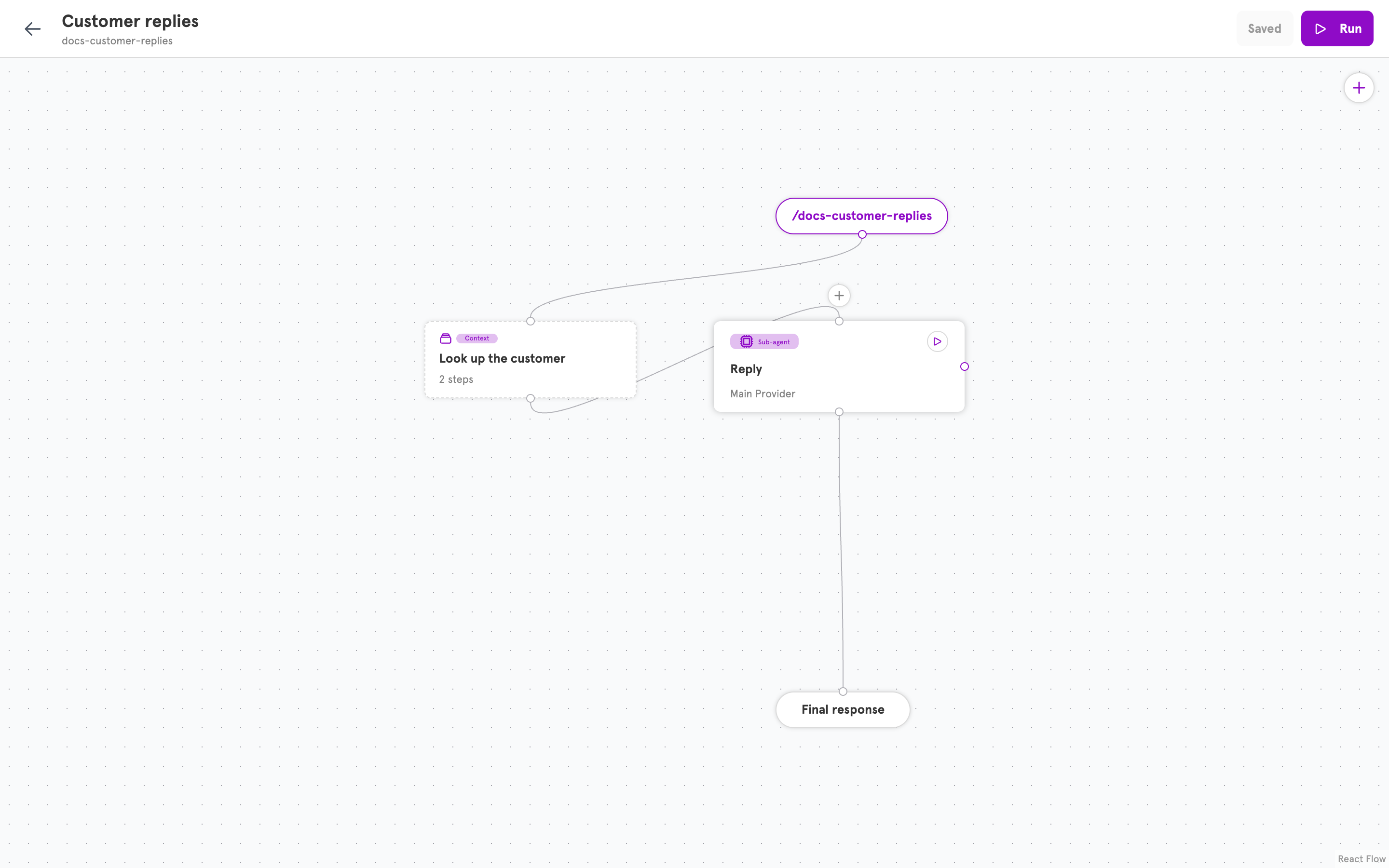
A step always runs. A tool runs if the agent decides to.
A context step and a tool can do the same job, such as looking something up in a database. The difference is who decides.
Use a step for what you always need. It costs nothing in model decisions, and the agent cannot forget to do it. Use a tool for what you sometimes need.
Using what a step found
Each step has a name, and the prompt reads the step’s result by that name. In this User prompt,customer is a step that looked the customer up from the email address in the message:
One after another, or all at once
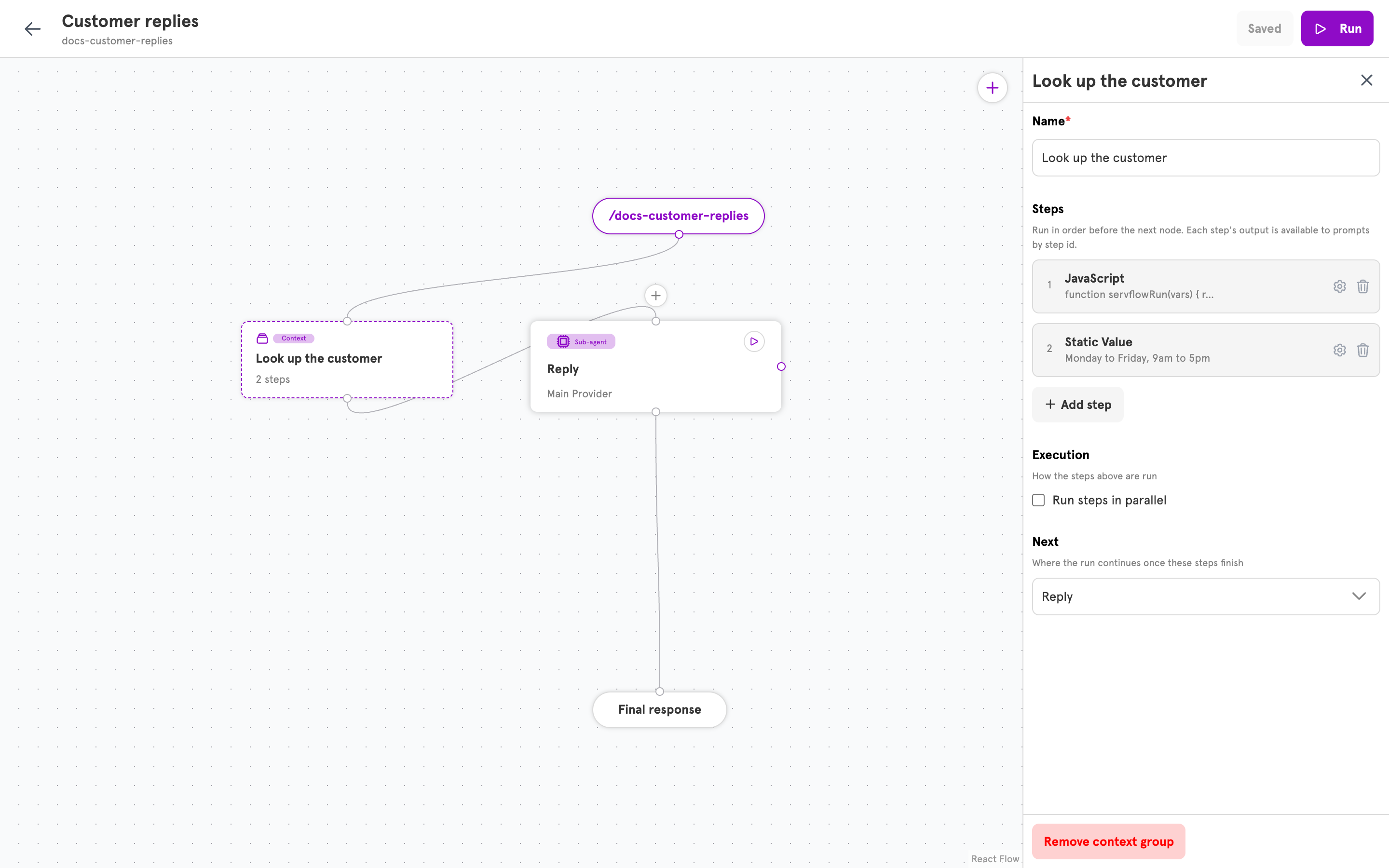
In order, which is how steps run unless you say otherwise, each step can use what the ones before it found. Look up the customer, then look up that customer’s orders. With Run steps in parallel, the steps start together. That is faster, and the steps cannot use each other’s results. Use it for look-ups that do not depend on each other.When a step fails
If a step cannot finish, the run stops there and the sub-agent is not called. If an agent that gathers context goes quiet, check its steps first.Where it sits
Context gathering belongs to a sub-agent and runs just before it. On the canvas it is a node of its own, in front of the sub-agent. See Agents for the path a run takes.Set up context gathering in the dashboard
- Open a sub-agent. Under Flow, find Context gathering and click Configure context. A context node appears in front of the sub-agent with one step in it, and its panel opens.
- Under Steps, click Configure step on the step. Choose what the step does under Type, and fill in its fields.
- To add another step, click Add step.
- Optional: under Execution, turn on Run steps in parallel.
- Click Save.
Related
Agents
How entries, context gathering, and sub-agents fit together.
Add a tool to an agent
For what the agent should decide to do itself.
Dynamic content
How a prompt reads the message and what steps found.
Available actions
What a step can do.